Upgrade to dbt v2
After installing the dbt VS Code extension, use the Get started panel to upgrade your project to dbt v2 if you haven't already done so.
If you are already running dbt v2, you must be on version 2.0.0-beta.66 or higher to use the upgrade tool.
The dbt extension provides two ways to upgrade your project to dbt v2 from the Get started panel:
- Agentic migration: Runs the dbt v1-to-dbt v2 migration with or AI agents. Select this option in the Check dbt v2 compatibility step. Requires or AI agents.
- Manual CLI onboarding: Walks you through the upgrade in your terminal. Use this if you prefer the CLI or don't use or AI agents.
Agentic migration
- Select Start with an agent from the Check dbt v2 compatibility step.
- The extension installs the Migrate dbt v1 to dbt v2 agent skill to your editor's skill folder, then opens your AI chat with a migration prompt.
- Click Install & open chat to continue. The chat opens with the migration prompt already loaded, so you can run it directly from the editor. No CLI commands are required.
Manual CLI onboarding
The Get started panel has an upgrade assistant that guides you through the upgrade process in your terminal.
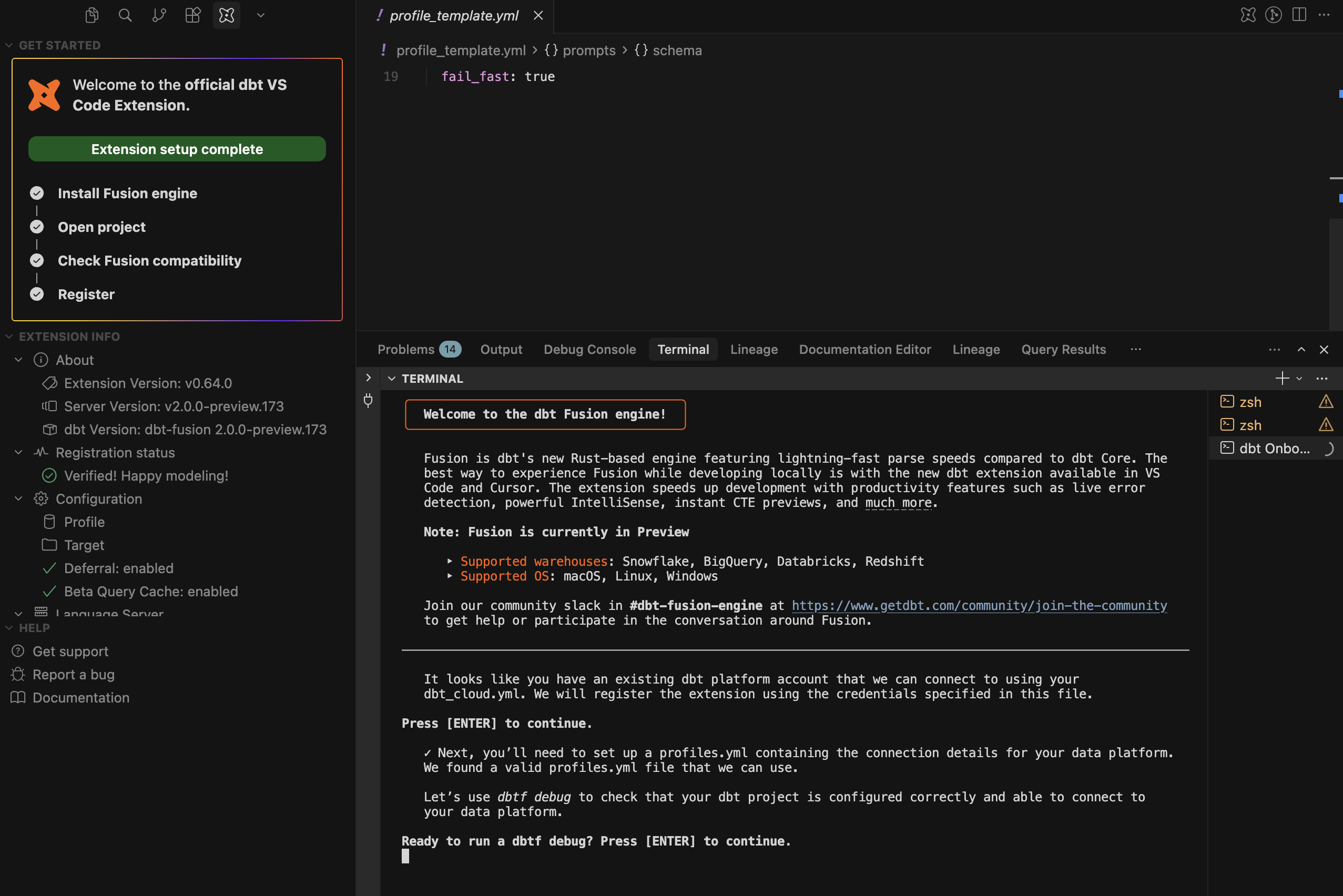 The dbt extension Get started panel and upgrade assistant.
You can start manual onboarding in either of the following ways:
- From the Get started panel
- From your terminal
- From the Get started panel, select Start manually in CLI in the Check dbt v2 compatibility step.
- Follow the prompts in the upgrade assistant to complete the upgrade.
- Run
dbtf compileto verify your project is ready for dbt v2.
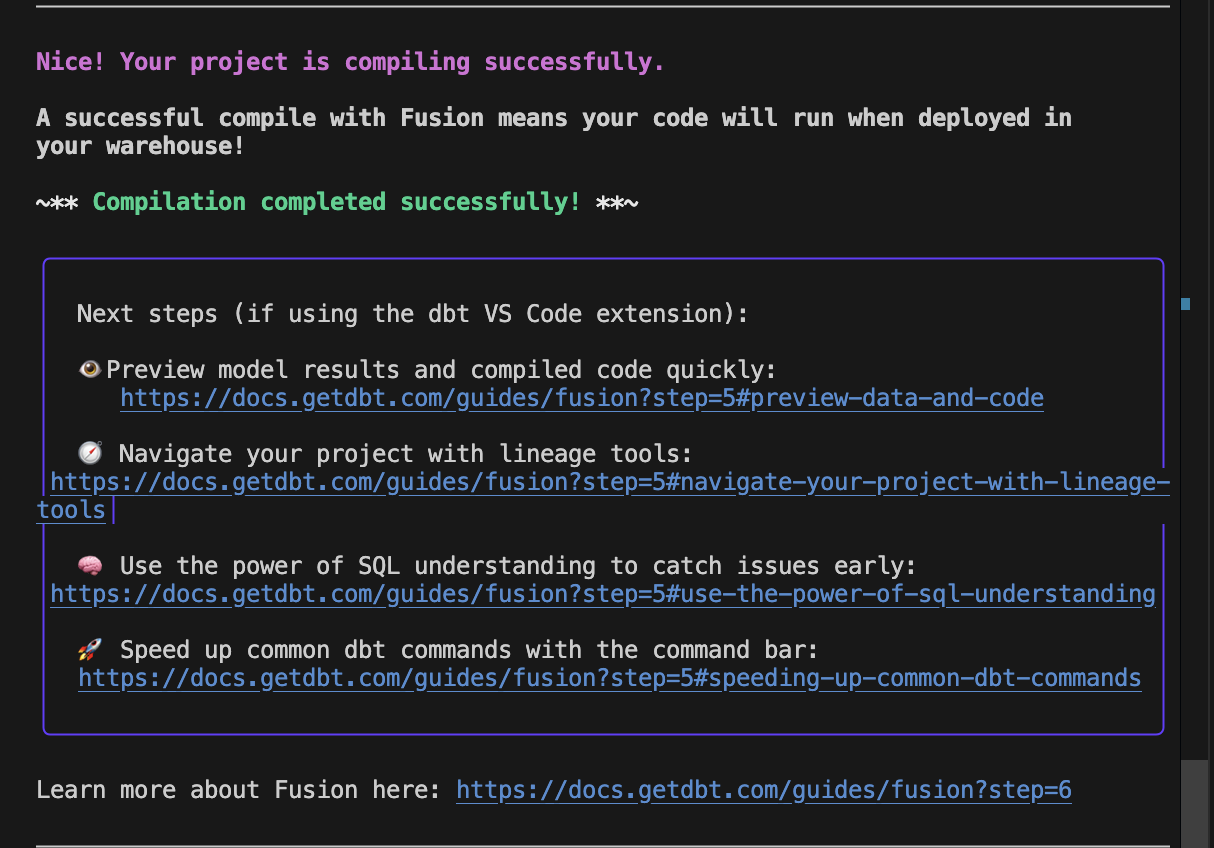 The message received when you have completed upgrading your project to v2.
Once the upgrade is completed, you're ready to dive into all the features that dbt v2 has to offer!
Next, sign in to a dbt platform account if you want to use the extension's dbt platform capabilities.
-
From your terminal, run:
dbt init --v2-upgrade
The upgrade tool guides you through a series of prompts:
There are cases where dbt-autofix may not resolve all errors and requires manual intervention. For those cases, the dbt-autofix tool provides an AI Agents.md file to help AI agents continue the migration work after dbt-autofix has completed its part.
Ready to run dbt compile?
The tool compiles your project with full dbt v2 static analysis. This checks that your SQL code is valid in the context of your warehouse's tables and columns.
The message received when you have completed upgrading your project to v2.Once the upgrade is completed, you're ready to dive into all the features that dbt v2 has to offer!
Next, sign in to a dbt platform account if you want to use the extension's dbt platform capabilities.
Next steps
Once you've upgraded your project to dbt v2, you can:
- Sign in to a dbt platform account if you want to use the extension's dbt platform capabilities, such as the Catalog tab.
- Configure your local environment to mirror your dbt platform environment and set environment variables required by your project.
- Compare changes locally to preview data changes caused by your local edits.
- Optimize static analysis for development and deployment for stronger local validation without slowing deployment jobs.
- Review the limitations and unsupported features.
Was this page helpful?
This site is protected by reCAPTCHA and the Google Privacy Policy and Terms of Service apply.
