dbt Wizard home tab Preview
The dbt Wizard home tab is an agent-native development experience in dbt platform.
Use the dbt Wizard home tab to investigate and generate changes with natural language prompts, review inline diffs and DAG previews, and validate changes without leaving the agent.
AI features are being enabled by default. They're already on for new accounts and are rolling out soon to existing accounts. If your organization opted out, they'll remain off. Admins can turn AI off or back on and configure providers anytime.
The dbt Wizard home tab is complementary to the dbt Wizard experience in Studio IDE. Where the Studio IDE supports users working directly within a traditional IDE environment, the home tab is purpose-built for agent-native development and keeps you focused on supervising and validating agent-generated work.
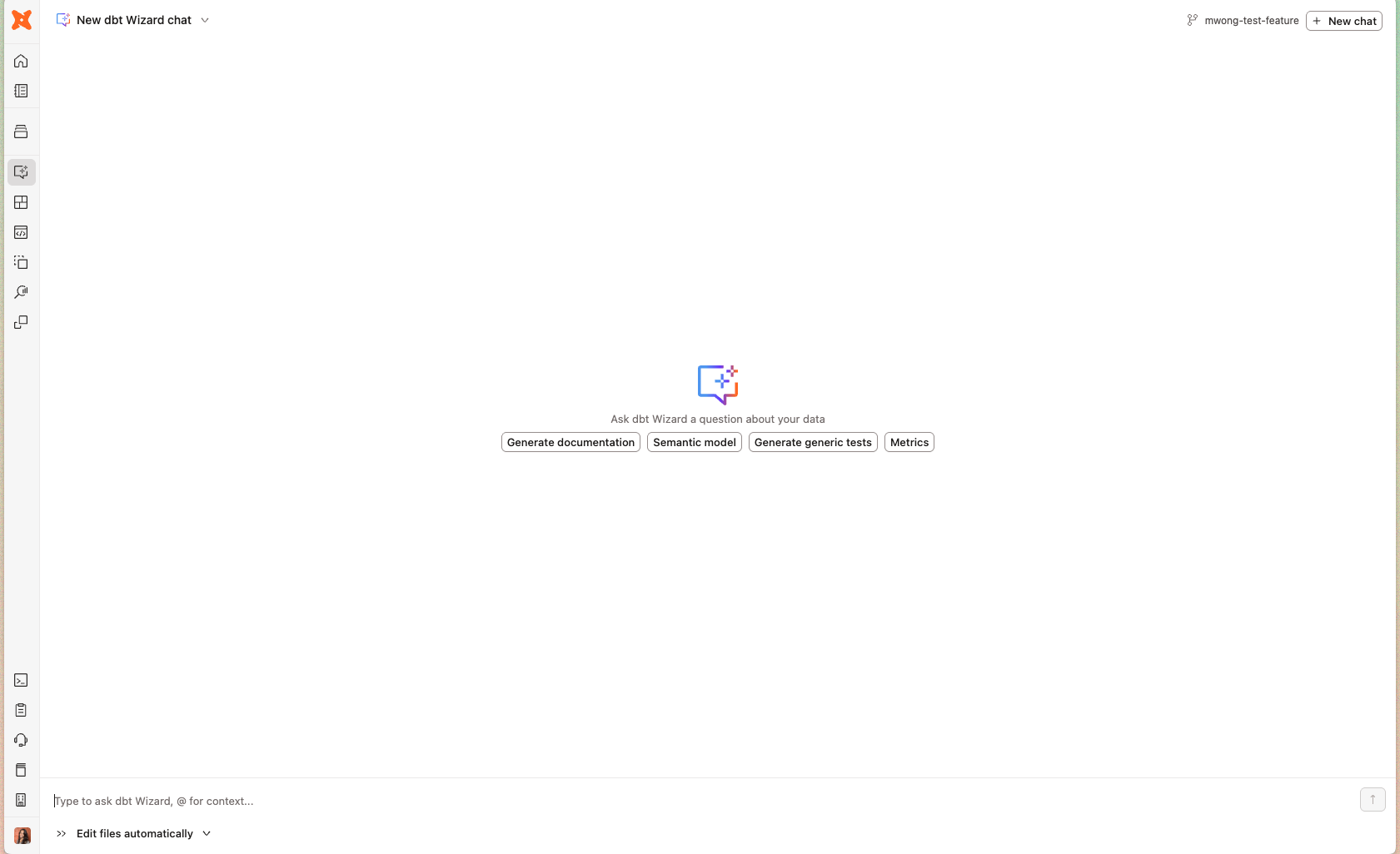 dbt Wizard home tab — empty state with quick-start prompts
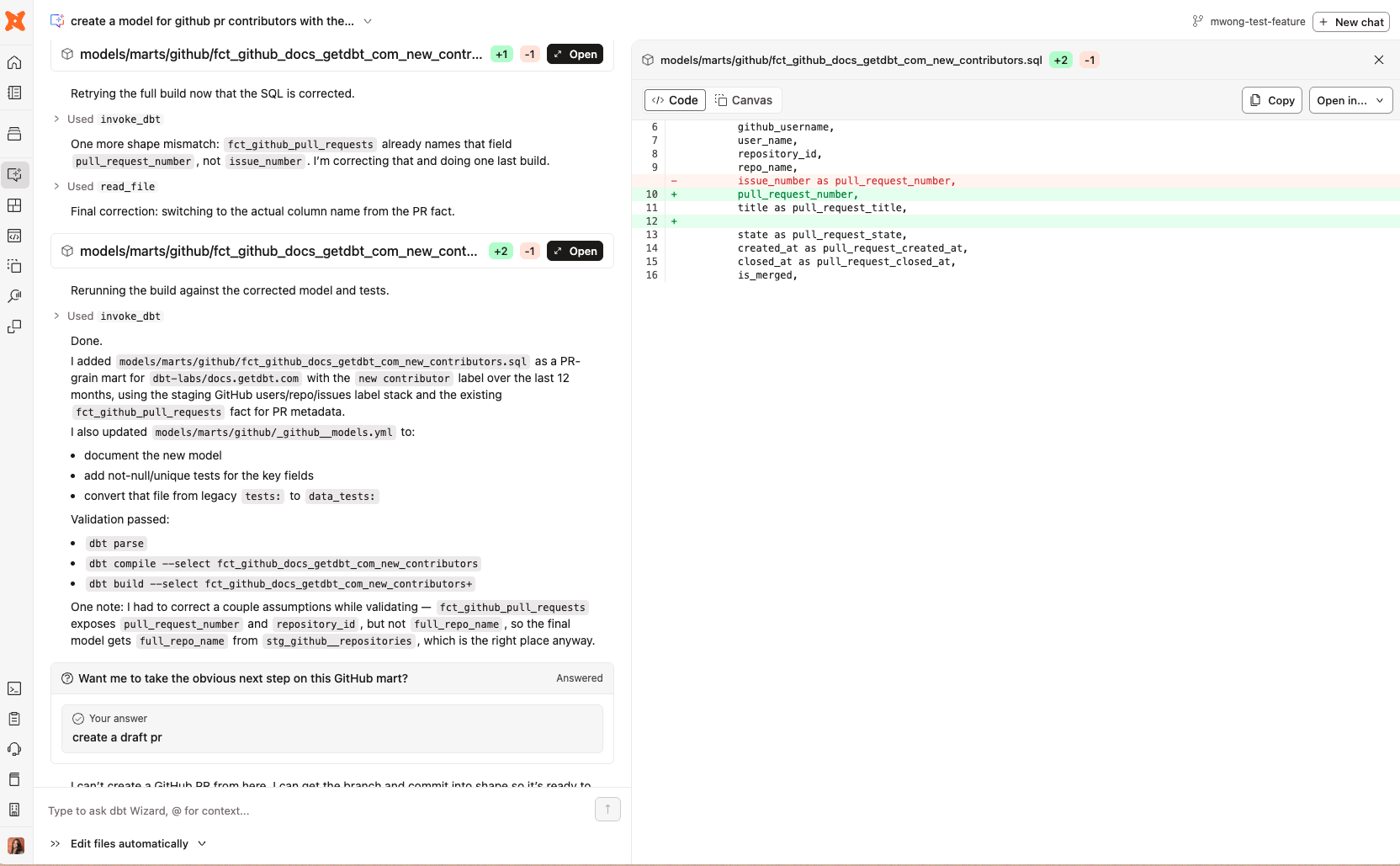 dbt Wizard agent refactoring a docs github model for tech writers :)
 Prerequisites
- A dbt account and Developer or Read-only seat license.
- Legacy Team plans don't have access to dbt Wizard. Move to a Starter, Enterprise, or Enterprise+ plan to use it.
- A development environment and credentials set up in the Studio IDE.
- Use a supported AI provider. Refer to Supported AI providers, or the Model Provider Rate Table for the full model list and rates.
- If you're using dbt Wizard in the home tab, you need to enable experimental features for your account.
If dbt Wizard stops responding, your account may have used up its usage credits. Refer to Trial and billing.
What you can do
Use dbt Wizard in the home tab to:
- Answer project-aware questions: Ask about lineage, dependencies, model logic, and project context.
- Debug failed jobs: Investigate run and job failures using dbt Agent Skills with full project context.
- Create and manage branches: Initiate and switch branches directly from the agent workflow.
- Make model and project changes: Refactor SQL, update YAML, and modify project configuration through natural language.
- Generate and refine transformation logic: Build or rewrite models, tests, documentation, and semantic definitions from plain-language prompts.
- Run validation workflows: Execute compile and build checks to validate proposed changes before they're persisted.
- Ask questions of production data: Use Explore mode to query governed metrics and models in plain language, and see the SQL or metric definition behind every answer. This is the main surface for read-only users.
- Choose your model: Select the dbt managed model you'd like to work with from the model picker.
Refer to How to use dbt Wizard in your dbt project for recommended workflows — including debugging a failed job, which applies directly to the home tab.
Agent modes
The dbt Wizard operates in three modes:
| Mode | Behavior |
|---|---|
| Explore only | The agent queries and explains data but can't edit files or run builds. Best when you want to analyze data or validate a model's output without the agent proposing changes. Every answer comes with the SQL or metric definition behind it. Available for read-only users in the home tab. |
| Ask for approval (default) | The agent drafts edits to files. You approve each file change before it is persisted. Best when you want tight control over what gets saved to your branch. |
| Edit files automatically | The agent drafts and automatically saves file edits without per-file approval. Best for faster iteration when you're confident in the prompt. |
Switch between modes anytime with the Agent mode button (bottom-left). The authoring modes keep the analytical tools available, so switching out of Explore only doesn't cost you anything.
Ask questions in Explore mode
Explore mode in the dbt Wizard home tab lets you ask questions of your production data in plain language. dbt Wizard in Explore mode answers and explains but never changes your project. This option is great for exploratory data analysis and getting a quick understanding of your data.
Explore mode queries with your personal warehouse credentials. If you don't have any, it falls back to the project's analytics credential, a shared credential an admin sets up on Snowflake, BigQuery, Redshift, or Databricks connections. This is how read-only users query without their own credentials. If neither exists, dbt Wizard asks you to set up credentials or contact an admin.
Explore mode answers are grounded in what your project defines, so it needs metadata or Semantic Layer definitions to answer against. For what makes answers better, refer to Set your team up for good answers.
- Open dbt Wizard and set the mode picker (bottom-left) to Explore only if needed.
- Type your question and press Enter. Make sure you're specific and include the time period, grouping, and filter you care about:
what was total revenue in Q2 2026, by month?how many new customers signed up in July?which regions grew fastest this year?
- dbt Wizard gives a plain-language summary of what it did, then the result. Switch between Chart, Table, and SQL to see the data your way.
- Validate the data by using the SQL view to review the query or governed metric behind the answer. Note that you can't edit the SQL query but you can copy it.
- Keep going by asking a follow-up in the same conversation. For example,
now break that out by regionworks after your first question.
Explore mode uses dbt-managed inference, so questions draw from your account's dbt Wizard consumption pool like any other dbt Wizard usage.
In the home tab, click Open on a result to view the visualization in the right-hand context sidebar, and download the data from there.
 Explore mode in the dbt Wizard home tab, with a plain-language summary, a chart, and Chart/Table/SQL toggles.
Inline preview mode
A core part of the home tab experience is inline preview mode, which gives you multiple ways to review and validate agent-generated changes directly in the workflow without switching to a separate tool.
The preview experience includes:
- Enhanced SQL diffs: Review proposed code changes side by side before accepting them.
- Structural DAG visualizations: Inspect transformations as operator-level DAG views that break logic into familiar patterns — joins, filters, aggregations, and projections — making it easier to understand how a model changed beyond the raw SQL.
- Execution-aware validation feedback: See results from compile and build checks inline, so you can assess both the proposed implementation and how the transformation behaves in practice.
- Jump to related surfaces: From the preview, open a model directly in Catalog to explore metadata and lineage, or open the file in Studio IDE to iterate manually when needed.
When to use the home tab or Studio IDE
The home tab and Studio IDE support different parts of the development workflow:
| Home tab | Studio IDE | |
|---|---|---|
| Primary workflow | Supervise and validate agent-generated work | Write and edit code directly in the editor |
| Interface | Streamlined agent-native chat | Full IDE with file explorer, editor, console |
| Best for | Natural language iteration, reviewing diffs, running validations | Manual file edits, direct SQL authoring, complex multi-file work |
| Inline preview | ✅ SQL diffs, DAG visualizations, build feedback | File diffs shown before changes are persisted |
For most development workflows, you can move between the two surfaces freely. Use the home tab to investigate and generate, and drop into Studio IDE when you need direct control.
Choose a model
With dbt managed inference, you can switch between the supported managed models at any using the model picker dropdown next to the Agent mode control (where you choose Ask for approval or Edit files automatically).
- In Studio IDE and the dbt Wizard home tab, open the model picker dropdown next to the Agent mode control in the dbt Wizard panel, then select a model.
- The picker lists the managed models available to you. Refer to the Model Provider Rate table for the available models and their token rates.
- If you bring your own key (BYOK), dbt Wizard uses the provider and model you configured with your key rather than the managed model picker.
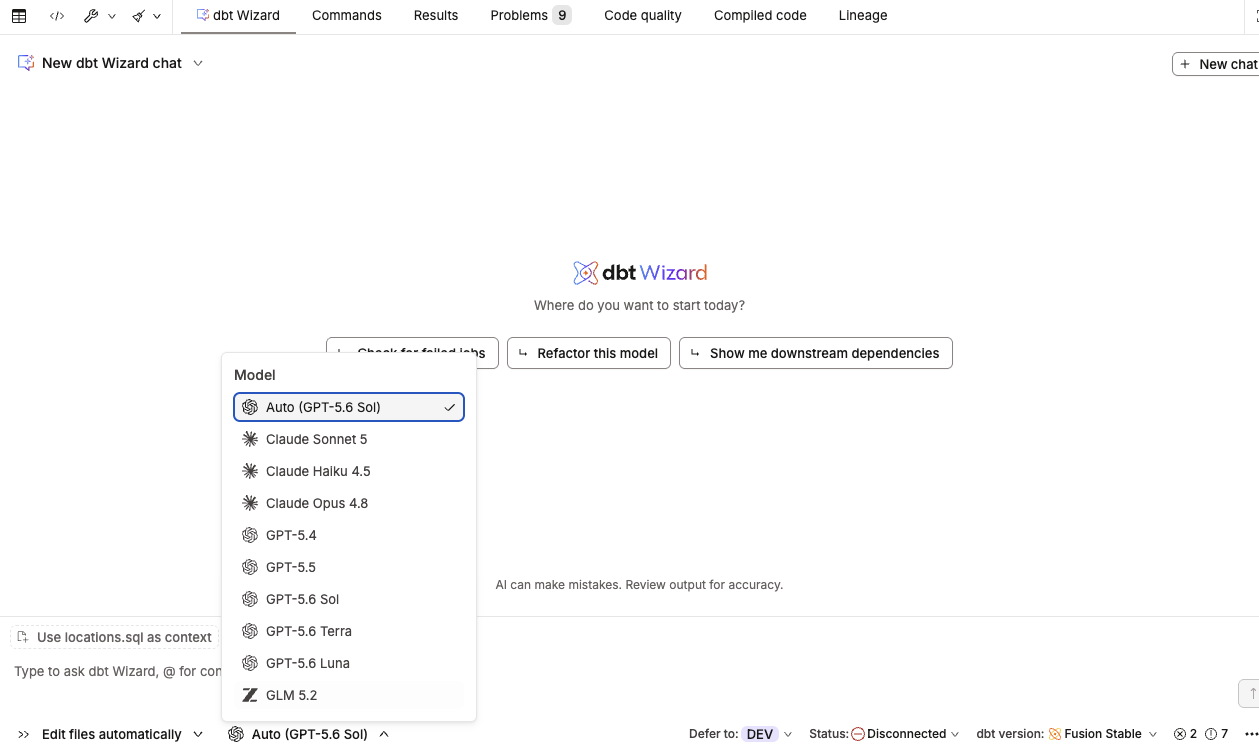 The model picker dropdown next to the Agent mode control in the Wizard panel.
Related docs
- dbt Wizard in Studio IDE
- Invite read-only users to dbt Wizard
- About dbt Wizard in dbt platform
- How dbt Wizard works
- Prompt cookbook
- dbt AI FAQs
Was this page helpful?
This site is protected by reCAPTCHA and the Google Privacy Policy and Terms of Service apply.
