Connect ClickHouse Private beta dbt v2 compatible
The dbt v2 in dbt platform supports connecting to ClickHouse Cloud and to self-managed single-node ClickHouse. Use a dbt v2 release track for the environment that uses this connection.
ClickHouse connections on v2 are in private beta and not production-ready. To request access, contact your account representative. Expect some minor bugs, and avoid using them in production environments for now. Refer to Limitations before you connect.
Warehouse permissions for dbt v2
The ClickHouse user that the dbt v2 connects as must be able to run dbt workloads in the target database and read the system tables used for introspection.
Required ClickHouse objects
Before connecting, these objects must exist or be accessible:
| Object | Purpose |
|---|---|
| Service (ClickHouse Cloud) or server (self-managed, single node) | Compute resource |
| Database | Target database. ClickHouse has no separate schema level, so the dbt schema maps to a database |
| User | Database user for authentication |
Core permissions
The following permissions are required for fundamental dbt features:
| Permission | Object | Purpose |
|---|---|---|
SELECT | Tables and views | Read data |
INSERT | Tables | Load models, seeds, and snapshots |
ALTER | Tables | Schema changes (on_schema_change), indexes and projections, comments (persist_docs), REPLACE PARTITION (insert_overwrite), and lightweight deletes (delete+insert) |
TRUNCATE | Tables | Full-refresh seeds |
CREATE TABLE, CREATE VIEW, CREATE DICTIONARY | Database | Create materializations, including the intermediate and backup relations used for atomic rebuilds (EXCHANGE TABLES, RENAME TABLE) |
DROP TABLE, DROP VIEW, DROP DICTIONARY | Database | Drop or replace objects |
Metadata operations
dbt v2 reads these ClickHouse system tables:
| System table | Purpose |
|---|---|
system.tables | List relations, build the catalog, detect materialized views pointing at a table |
system.columns | Column metadata for the catalog and for schema-change detection |
system.databases | Check whether the target database exists |
system.settings | Capability probes (lightweight deletes, insert_distributed_sync) |
system.view_refreshes | Validate refreshable materialized view dependencies |
ClickHouse filters system tables to the objects the user can access, so no separate grant is needed for them.
Database management
Conditional permissions for database management:
| Permission | Object | When required |
|---|---|---|
CREATE DATABASE | Server | Auto-create the target database when it doesn't exist yet |
For the full privilege model, refer to access control in the ClickHouse documentation.
Connection fields
Configure the following fields when you create a ClickHouse connection.
| Field | Description | Type | Required? | Example |
|---|---|---|---|---|
| Server Hostname | The ClickHouse Cloud endpoint URL. Do not include https:// or the port. Copy this from Connect in the ClickHouse Cloud console. | String | Required | abc123.us-east-1.aws.clickhouse.cloud |
| Port | The port to connect to. The dbt ClickHouse adapter connects over HTTPS. Use port 8443. Port 9440 (native protocol) is not supported by the adapter. | String | Optional | 8443 |
| Database | The name of the database to connect to. | String | Optional | default |
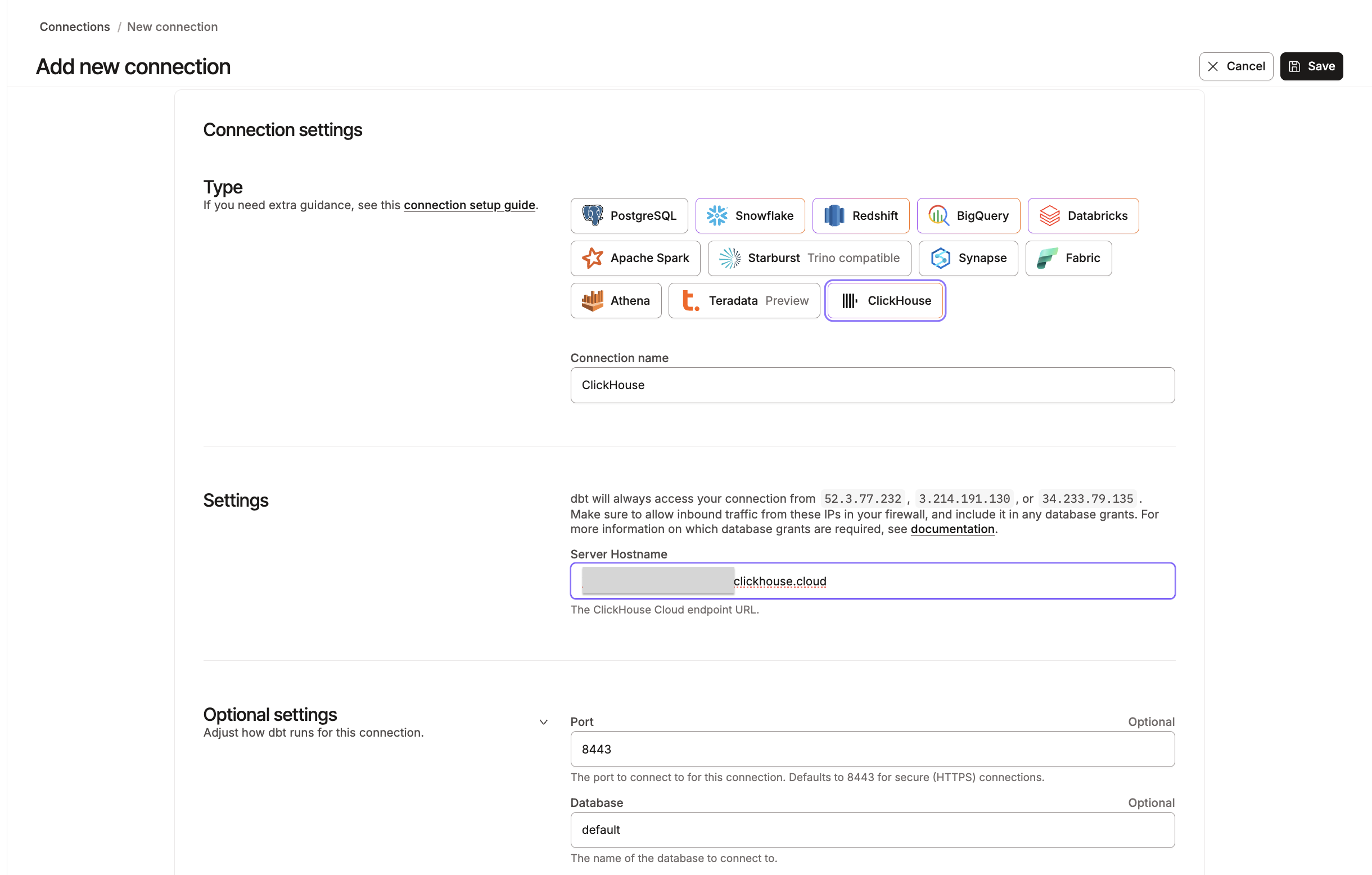 Example of the ClickHouse connection fields.
After you save the connection, set up your development environment:
- Create a new project or open an existing one.
- In your project settings, select Environments from the left menu and open your development environment.
- Under Connection, select the ClickHouse connection you just created.
- Save the environment.
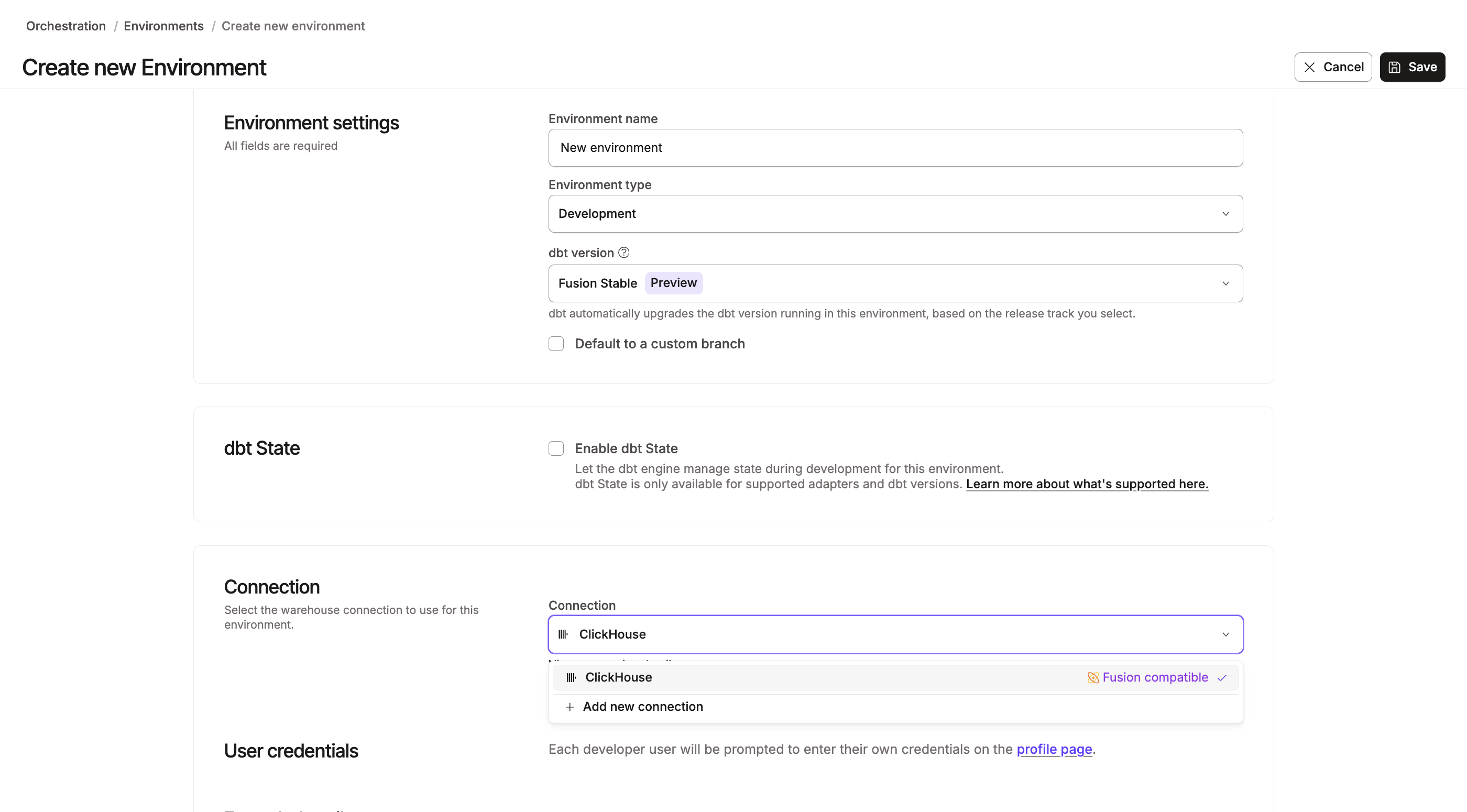 Select the ClickHouse connection for the development environment.
Development and deployment credentials
Each developer enters personal development credentials in Your profile → Credentials. For ClickHouse Cloud, copy the username and password from the Connect dialog in the ClickHouse Cloud console. The username is typically default.
| Field | Description | Type | Required? | Example |
|---|---|---|---|---|
| Username | The database username. | String | Required | default |
| Password | The database password. | String | Optional | DatabasePassword123 |
| Schema | In development, dbt builds your models into a schema with this name. Use a schema unique to your personal development environment. | String | Required | dbtlabsdocstest |
| Target name | The target name for this credential. | String | Optional | default |
| Threads | The number of threads to use for dbt operations. | Integer | Optional | 4 |
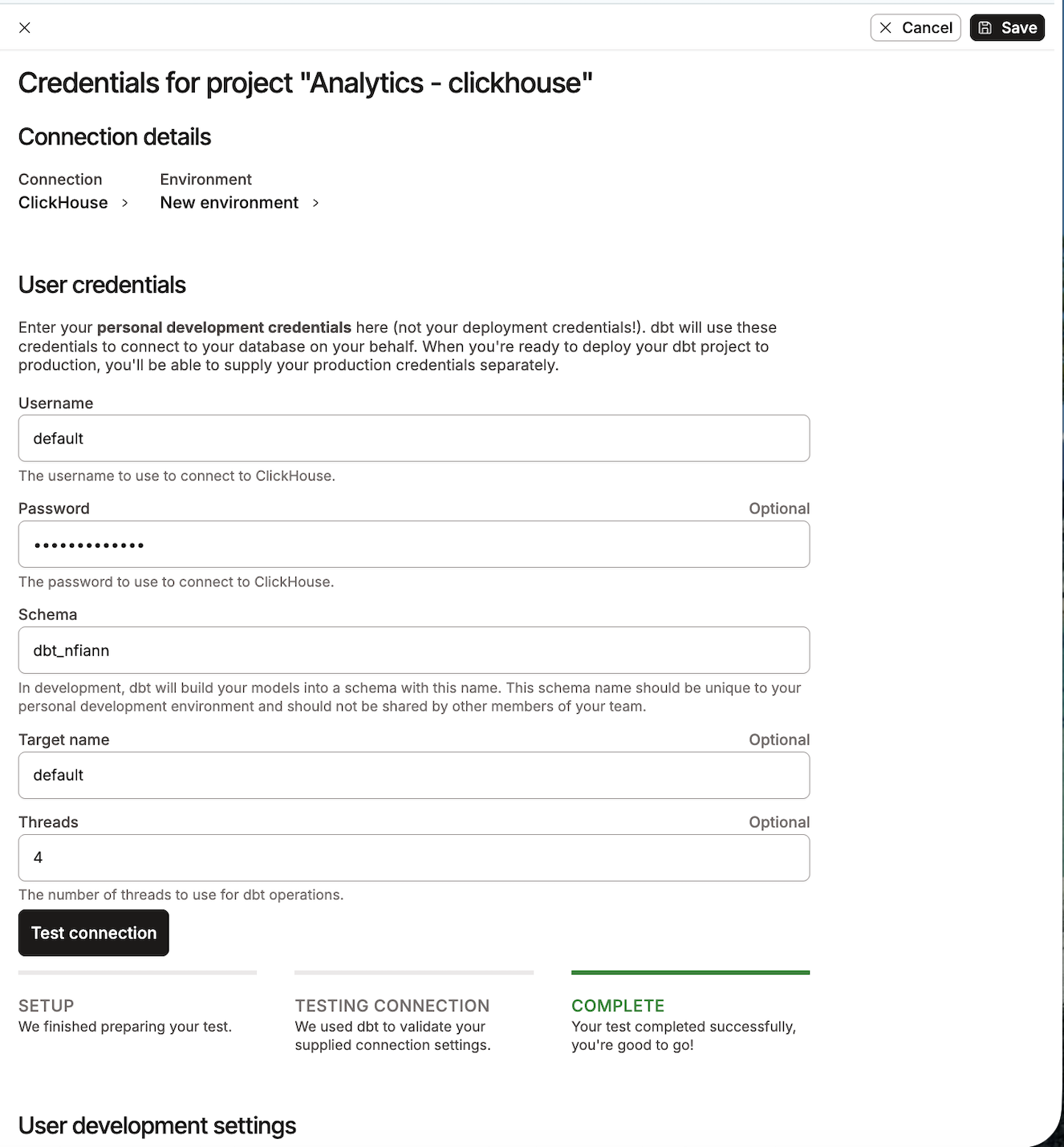 Example of the ClickHouse user credential fields.
Configuration
To learn how to optimize performance with data platform-specific configurations in dbt, refer to ClickHouse configurations.
For a description of the ClickHouse profile fields that the connection maps to, refer to ClickHouse setup.
Limitations
The ClickHouse connection is in private beta. On the dbt platform specifically:
- The dbt Semantic Layer isn't supported for ClickHouse connections yet.
- Only username and password authentication is available. OAuth, key pair authentication, SSH tunneling, and private connectivity aren't supported for ClickHouse yet.
The dbt v2 ClickHouse adapter limitations apply here too, including the gaps in clusters, grants, dbt clone, dbt source freshness, and SQL comprehension. For the complete picture, refer to ClickHouse limitations.
Was this page helpful?
This site is protected by reCAPTCHA and the Google Privacy Policy and Terms of Service apply.
