Log in to dbt platform
https://login.dbt.com is the universal entry point for dbt platform accounts with a static access URL (for example, abc123.us1.dbt.com). It sits outside any specific account and maps your email to the accounts you can access across instances and regions.
You can also sign in directly with your account Access URL if you already know it, for example, abc123.us1.dbt.com. Refer to Access, regions, and IP addresses for the full list of access URLs by region.
login.dbt.com is currently available for multi-tenant accounts with an account-specific domain (for example, abc123.us1.dbt.com). Support for single-tenant accounts is coming soon. In the meantime, single-tenant users can sign in directly using their account Access URL (like MY_COMPANY.us1.dbt.com).
OAuth clients such as dbt platform CLI, the dbt VS Code extension, and dbt MCP have not yet been updated to use login.dbt.com and continue to authenticate through their account Access URL.
How login works
- Go to https://login.dbt.com.
- Enter your email and you will receive a verification code to log in if you have access to a dbt account. If you don't have a dbt account, you can create one on the same login page.
- Check your email for the verification code, then enter it on
login.dbt.comto confirm your identity. The code expires after 5 minutes or 3 attempts.- If you didn't receive a code, check your spam folder or request a new one. You may not receive a verification code if your email is not associated with a dbt account.
- Once you verify, dbt platform looks up which accounts are associated with your email address:
- If you have access to multiple accounts, you see a list of accounts including their region and tenancy. Select the one you want to open.
- If you have access to only one account, you're redirected to that account directly.
- Authenticate using the method configured for that account (password, SSO, or MFA).
If no accounts are found for your email, contact dbt Support or your account admin. You can also sign in directly at your account Access URL.
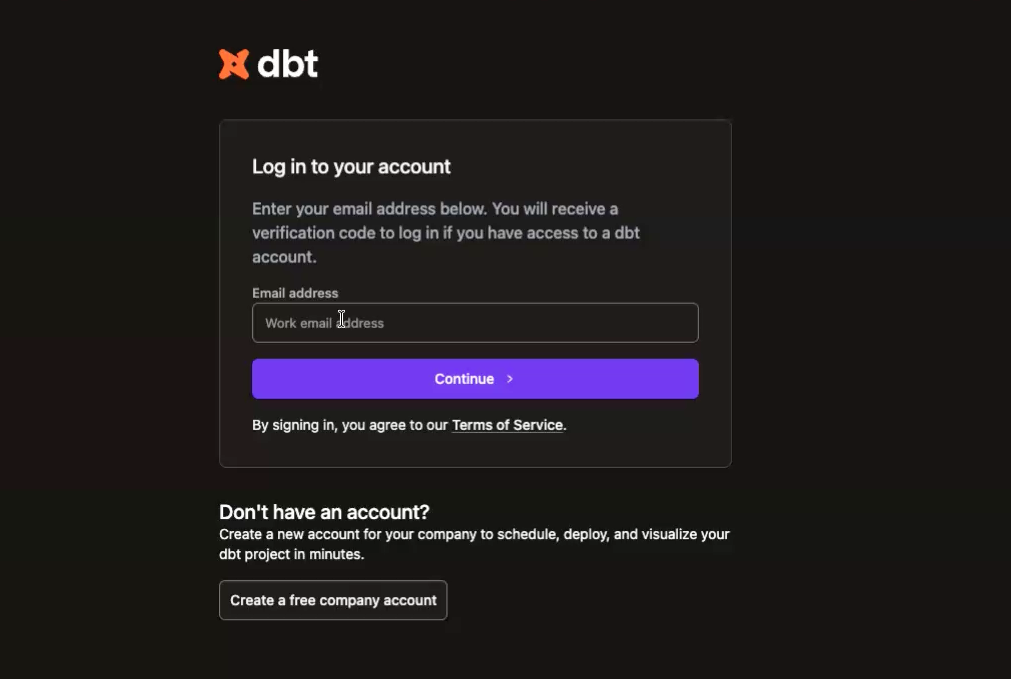 Login to dbt platform using the login.dbt.com page.
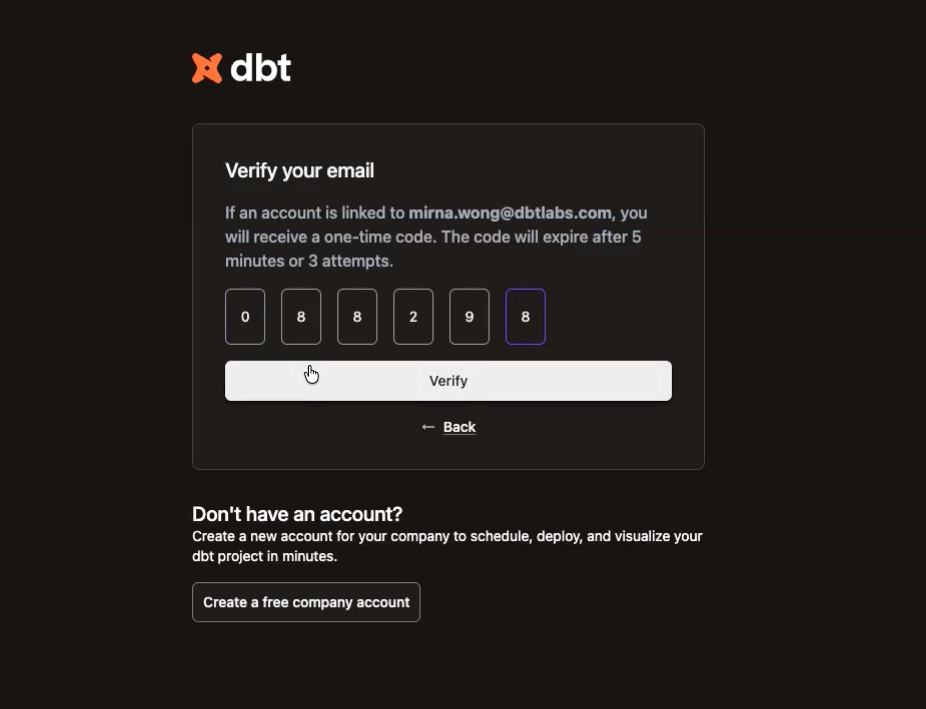 Verify code to login to dbt platform
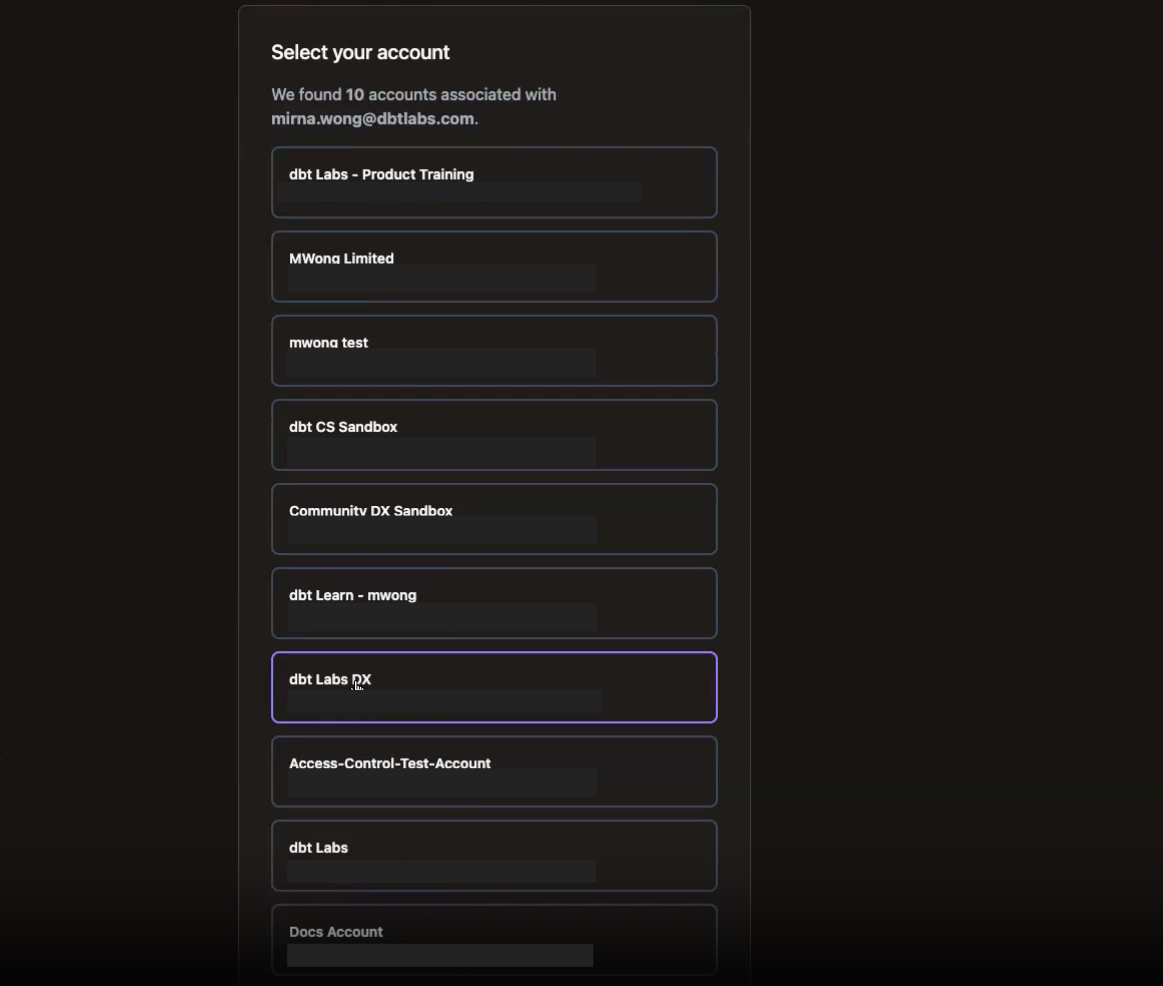 Select account to login to dbt platform
SSO behavior
After you select an account, dbt platform applies that account's authentication requirements. If SSO is enforced for the account, you'll be redirected to your identity provider (IdP) to complete authentication. Refer to SSO overview for more information about SSO configuration.
Admin settings
Account administrators can control whether users can discover an account through login.dbt.com.
- In dbt platform, account admins can go to Account settings and scroll to Settings.
- Navigate to the bottom and check the Enable global account discovery option to allow users will be able to find the account by entering their email at
login.dbt.com.
- When an admin turns off the option, users must know their account Access URL to sign in and won't see the account in the discovery list.
To change this setting, go to Account settings and select or clear Enable global account discovery. For details, refer to Account settings.
Was this page helpful?
This site is protected by reCAPTCHA and the Google Privacy Policy and Terms of Service apply.
