About dbt Insights Beta
Learn how to query data with Insights and view documentation in Catalog.
Insights in dbt empowers users to seamlessly explore and query data with an intuitive, context-rich interface. It bridges technical and business users by combining metadata, documentation, AI-assisted tools, and powerful querying capabilities into one unified experience.
Insights in dbt integrates with Catalog, Studio IDE, Canvas, dbt Copilot in Insights, and Semantic Layer to make it easier for you to perform exploratory data analysis, leverage AI-assisted tools, make faster decisions, and collaborate across teams.
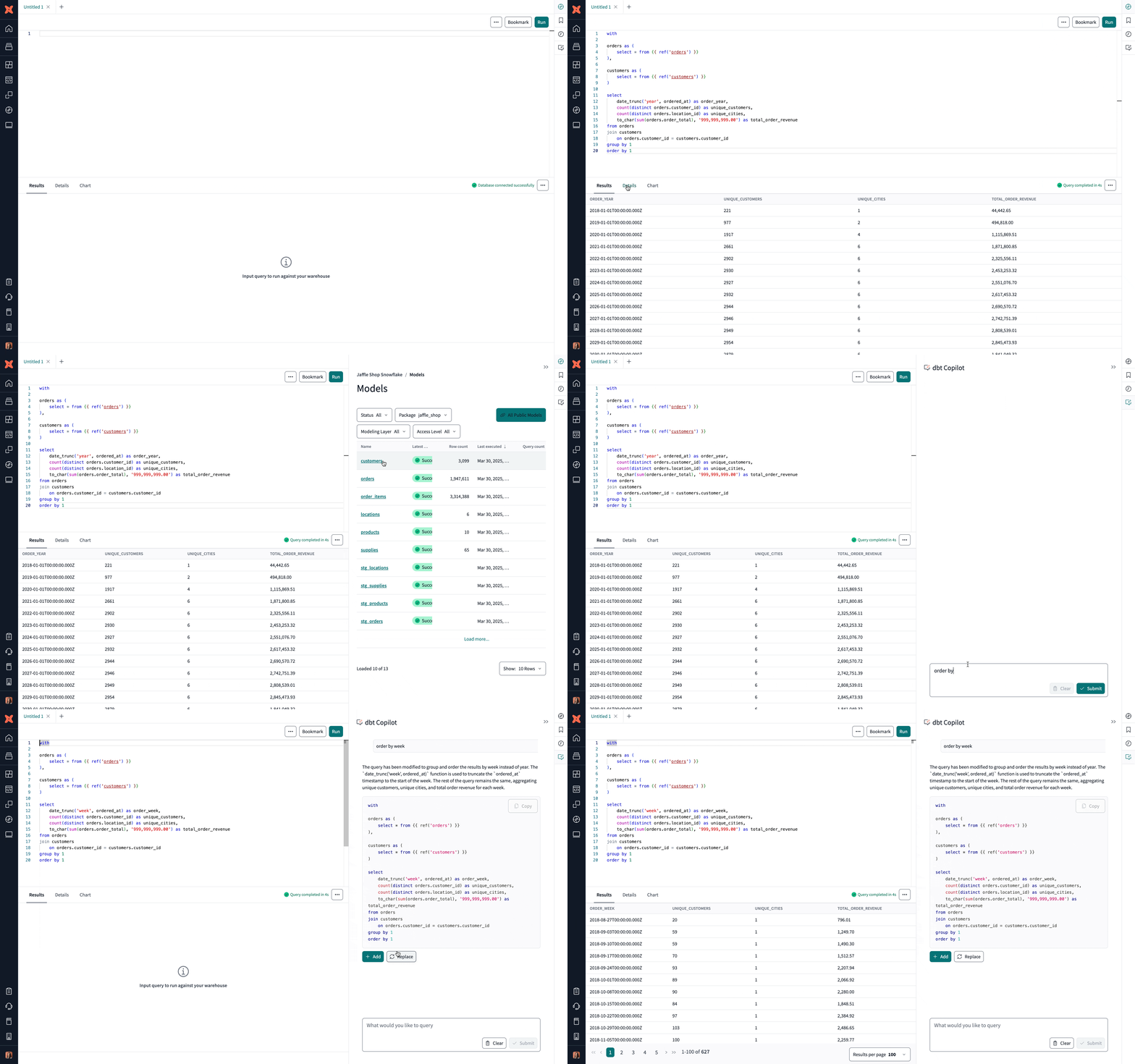 Overview of the dbt Insights and its features
Prerequisites
- Be on a dbt Enterprise or Enterprise+ plan — book a demo to learn more about Insights.
- Available on all tenant configurations.
- Have a dbt developer license with access to Insights.
- Configured user credentials.
- Your production and development environments are on dbt’s v1 Latest release track or a supported dbt version.
- Use a supported data platform: Snowflake, BigQuery, Databricks, Redshift, or Postgres.
- Single sign-on (SSO) for development user accounts is supported. Deployment environments will be queried leveraging the user's user credentials configured in Account settings.
- (Optional) — To query Semantic Layer metrics from the Insights, you must also:
- Configure the Semantic Layer for your dbt project.
- Have a successful job run in the environment where you configured the Semantic Layer.
- (Optional) To enable Language Server Protocol (LSP) features in Insights and run your compilations on dbt v2, set your development environment to use the v2 Stable dbt version.
Key benefits
Key benefits include:
- Quickly write, run, and iterate on SQL queries with tools like syntax highlighting, tabbed editors, and query history.
- Leverage dbt metadata, trust signals, and lineage from Catalog for informed query construction.
- Make data accessible to users of varied technical skill levels with SQL, Semantic Layer queries, and visual tools.
- Use dbt Copilot in Insights to generate or edit SQL queries, descriptions, and more.
Some example use cases include:
- Analysts can quickly construct queries to analyze sales performance metrics across regions and view results.
- All users have a rich development experience powered by Catalog's end-to-end exploration experience.
dbt Wizard is the recommended AI agent for governed data development in dbt. It handles the full development lifecycle — investigation, building, validation, and shipping — grounded in your dbt project's lineage, tests, contracts, and metric definitions.
Refer to dbt AI FAQs, Billing, and dbt's Terms of Use for more information.
Was this page helpful?
This site is protected by reCAPTCHA and the Google Privacy Policy and Terms of Service apply.
