Access Catalog from dbt platform features
Access Catalog from jobs, Insights, and other areas of dbt to move quickly between run context, lineage, and resource metadata in your project.
This page describes how to open Catalog from orchestration and exploration workflows in dbt. The primary way to open Catalog is Catalog in the navigation; you can also open it from jobs and Insights as described in the sections below.
Lineage tab in jobs
The Lineage tab in dbt jobs displays the lineage associated with the job run. You can open Catalog directly from this tab to understand the dependencies and relationships of resources in your project.
Access Catalog from the lineage tab
- From a job, select the Lineage tab.
- Double-click a node in the lineage graph to open a new tab and view its metadata in Catalog.
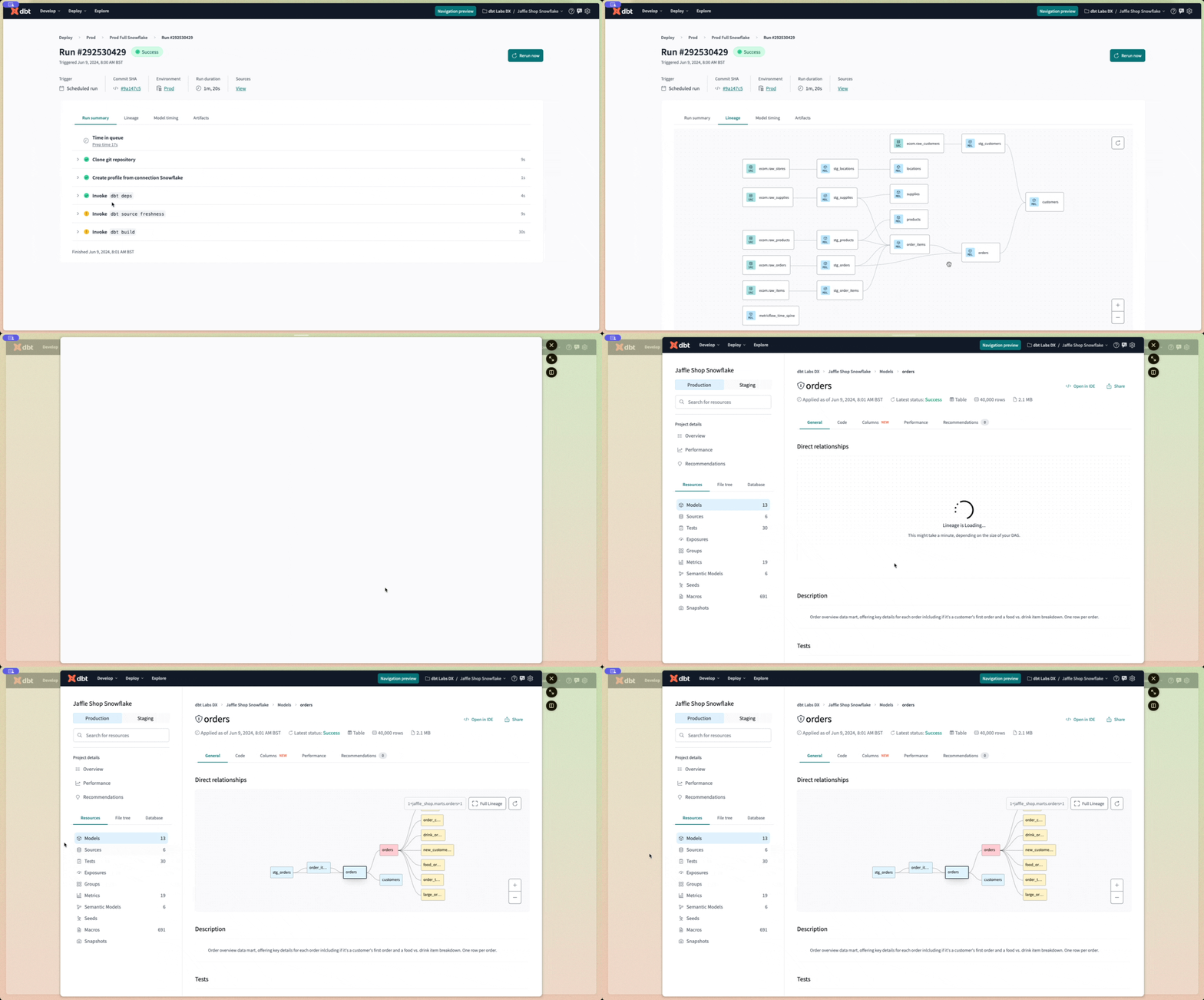 Access dbt Catalog from the lineage tab by double-clicking on the lineage node.
Model timing tab in jobs StarterEnterpriseEnterprise +
The model timing tab in dbt jobs displays the composition, order, and time taken by each model in a job run.
You can open Catalog from the model timing tab to investigate resources, diagnose performance bottlenecks, understand dependencies and relationships of slow-running models, and make changes to improve their performance.
Access Catalog from the model timing tab
- From a job, select the model timing tab.
- Hover over a resource and select View in Catalog to open its metadata in Catalog.
 Access dbt Catalog from the model timing tab by hovering over the resource and clicking 'View in Explorer'.
dbt Insights EnterpriseEnterprise +
Open Catalog from Insights to view project lineage and resources such as tables, columns, metrics, dimensions, and more.
To open Catalog from Insights, select the Catalog icon in the Query console sidebar menu, then search for the resource you want.
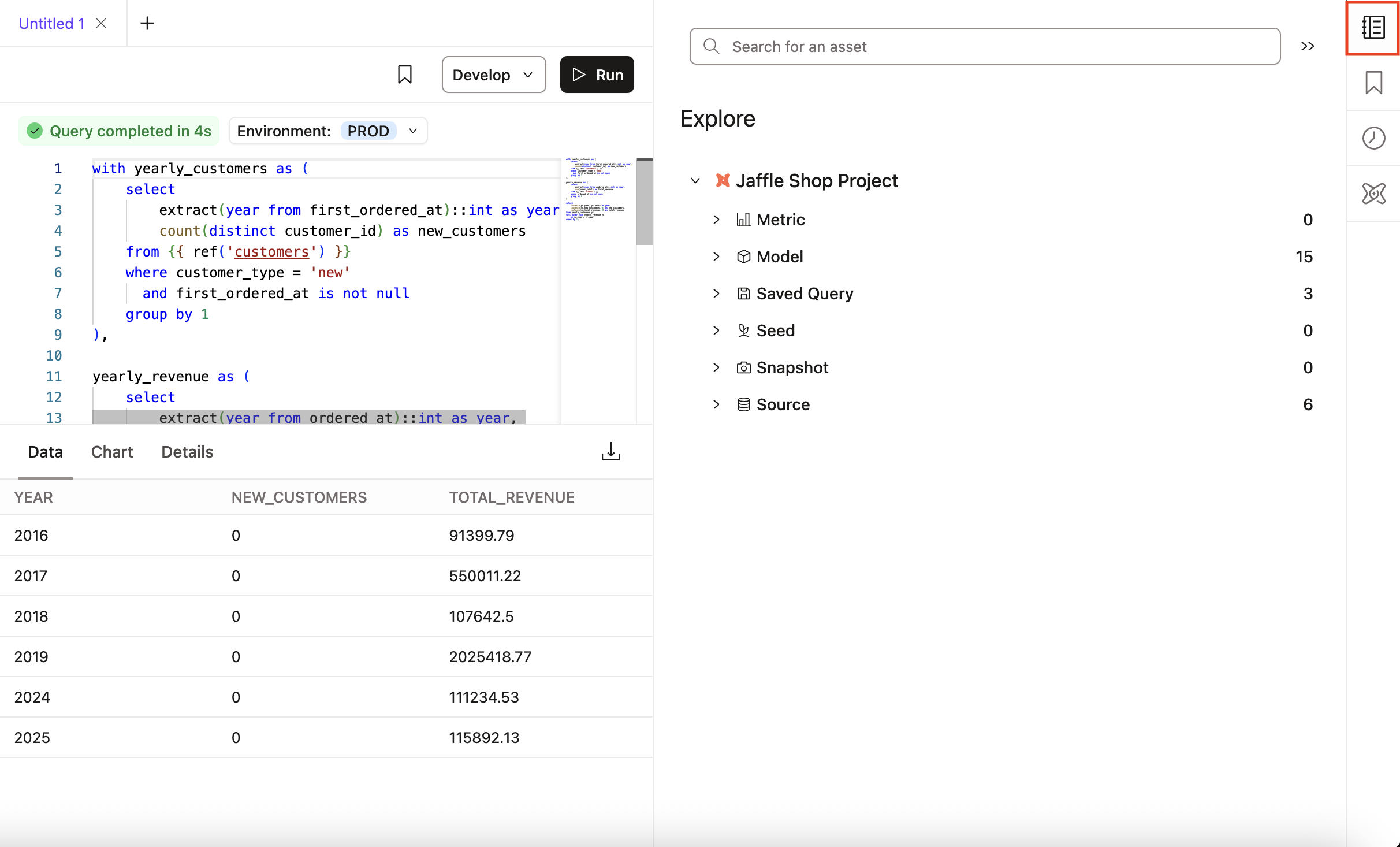 dbt Insights integrated with dbt Catalog
Was this page helpful?
This site is protected by reCAPTCHA and the Google Privacy Policy and Terms of Service apply.
