Release tracks in dbt platform
Since May 2024, new capabilities in the dbt framework are delivered continuously to dbt. Your projects and environments are upgraded automatically on a cadence that you choose, depending on your dbt plan.
Previously, customers would pin to a minor version of dbt v1, and receive only patch updates during that specific version's active support period. Release tracks ensure that your project stays up-to-date with the modern capabilities of dbt and recent versions of dbt v1.
This will require you to make one final update to your current jobs and environments. When that's done, you'll never have to think about managing, coordinating, or upgrading dbt versions again.
By moving your environments and jobs to release tracks you can get all the functionality in dbt as soon as it's ready. On the v1 Latest release track, this includes access to features before they're available in final releases of dbt v1 OSS.
Which release tracks are available?
dbt v2 release tracks
The dbt platform has four dbt v2 release tracks available to give you control over stability vs. velocity.
v2 Stable is the default for all new dbt v2-powered projects.
| Release track | Cadence | Description | Plan availability | API value |
|---|---|---|---|---|
| v2 Nightly | Nightly | The latest nightly build. Includes early access to new features. | All plans | fusion-nightly |
| v2 Stable (default) | Weekly | A weekly release that balances stability and feature access. | All plans | fusion-stable |
| v2 Extended | Monthly | The previous month's final v2 Stable release. Designed for those who want maximum stability and additional testing time. | Enterprise, Enterprise+ | fusion-extended |
| v2 Fallback | Monthly | The previous month's v2 Extended release. Emergency rollback option for account admins. | Enterprise+ | fusion-fallback |
dbt v1 release tracks
| Release track | Description | Plan availability | API value |
|---|---|---|---|
| v1 Latest | Provides a continuous release of the latest functionality in the dbt platform . Includes early access to new features of the dbt framework before they're available in dbt v1. | All plans | latest |
| v1 Compatible | Provides a monthly release aligned with the most recent open source versions of dbt v1 and adapters, plus functionality exclusively available in the dbt platform. See v1 Compatible track changelog for more information. | Starter, Enterprise, Enterprise+ | compatible |
| v1 Extended | The previous month's v1 Compatible release. | Enterprise, Enterprise+ | extended |
| v1 Fallback | The previous month's v1 Extended release. | Enterprise+ | fallback |
To configure an environment in the dbt Admin API or Terraform to use a release track, set dbt_version to the release track name:
fusion-nightlyfusion-stable(formerlylatest-fusion)fusion-extendedfusion-fallbacklatestcompatibleextended
Which release track should I choose?
Choosing a dbt v2 release track
Choose v2 Stable (the default for new projects) for a weekly release cadence that balances stability and feature access. This is the recommended starting point for most customers migrating to dbt v2.
Choose v2 Nightly if you want the latest features and are comfortable with a daily release cadence. This track ideal for teams prioritizing the most recent features.
Choose v2 Extended if your team needs maximum stability and more time to test before updates roll out. This track generally lags v2 Stable by one month and is available for Enterprise and Enterprise+ accounts.
Choose v2 Fallback as an emergency measure only. This is a temporary rollback option for Enterprise+ accounts, not for ongoing use.
Account admins can set the org-wide default release track for new projects via a toggle in Account Settings. Individual project owners can then override that default per environment.
Choosing a dbt v1 release track
Choose the v1 Latest release track to continuously receive new features, fixes, performance improvements — latest & greatest dbt. This is the default for all customers on dbt.
Choose the v1 Compatible and v1 Extended release tracks if you need a less-frequent release cadence, the ability to test new dbt releases before they go live in production, and/or ongoing compatibility with the latest open source releases of dbt v1.
Using the v2 Fallback release track
The v2 Fallback release track provides an emergency rollback option for account admins if you suspect a regression in the "v2 Extended" track. This is available only for dbt v2 in Enterprise+ accounts.
- Go to Account settings
- Click the Revert to Fallback release track button in the dbt platform interface. This is not accessible through environment settings.
- Fill in the details in the Revert to Fallback pop-up to confirm and share information with dbt Support.
Switching to v2 Fallback alerts the dbt Support team, who may reach out to help resolve the issue. This track is meant only as a temporary safety option to unblock you and not for ongoing use. Return to "v2 Extended" or "v2 Stable" (dbt v2) / "v1 Compatible" (dbt v1) once the issue is resolved.
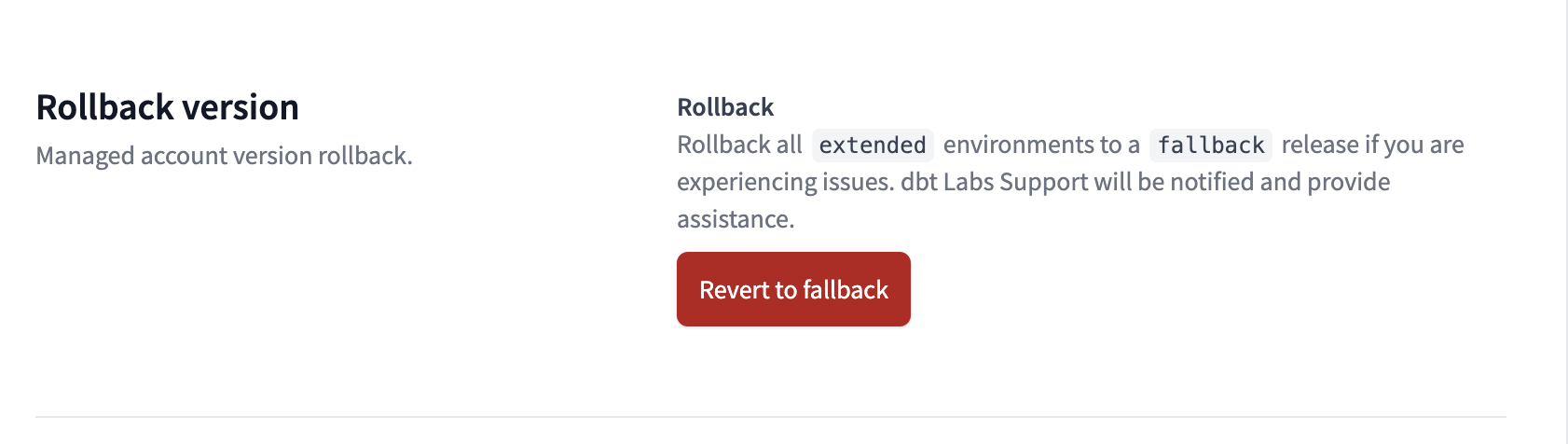 v2 Fallback release track button in dbt platform
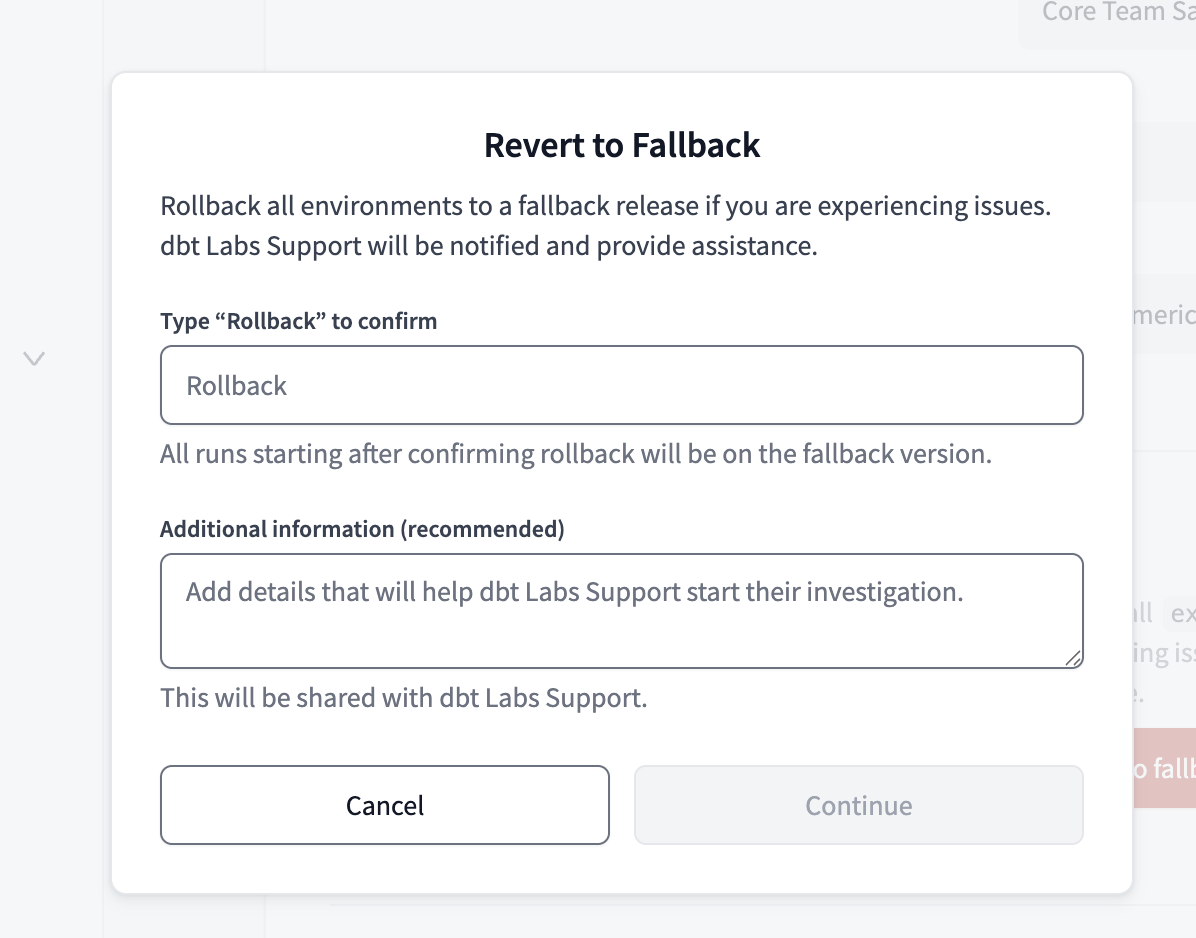 v2 Fallback release track popup in dbt platform
Common architectures
dbt v2 track architectures
Default — All plans
- Prioritize a weekly release cadence that balances stability and new features
- Leave all environments on the v2 Stable release track (default for new projects at GA)
Velocity-focused — All plans
- Prioritize immediate access to the latest v2 features and fixes
- Configure all environments to use the v2 Nightly release track
Cautious — Enterprise, Enterprise+
- Prioritize maximum stability and additional testing time
- Configure production environments to use v2 Extended (one month behind v2 Stable)
- Configure development environments to use v2 Stable so developers get access to upcoming changes before they reach production
dbt v1 track architectures
Default — Majority of customers on all plans
- Prioritize immediate access to fixes and features
- Leave all environments on the v1 Latest release track (default configuration)
Hybrid — Starter, Enterprise, Enterprise+
- Prioritize ongoing compatibility between dbt and dbt v1 for development & deployment using both products in the same dbt projects
- Configure all environments to use the v1 Compatible release track
- Understand that new features will not be available until they are first released in dbt v1 OSS (several months after the v1 Latest release track)
Cautious — Enterprise, Enterprise+, Business Critical
- Prioritize "bake in" time for new features & fixes
- Configure development & test environments to use the v1 Compatible release track
- Configure pre-production & production environments to use the v1 Extended release track
- Understand that new features will not be available until a month after they are first released in dbt v1 OSS and the v1 Compatible track. Developers (on v1 Compatible) will get access to new features before they can leverage those capabilities in production (on v1 Extended), and must be mindful of the additional delay.
Virtual Private dbt or Single Tenant
- Changes to all release tracks roll out as part of dbt instance upgrades once per week
Upgrading from older versions
How to upgrade
If you regularly develop your dbt project in dbt, and you're still running on a legacy version of dbt v1, dbt Labs recommends that you try upgrading your project in a development environment. Override your dbt version in development. Then, launch the Studio IDE or dbt platform CLI and do your development work as usual. Everything should work as you expect.
If you do see something unexpected or surprising, revert back to the previous version and record the differences you observed. Contact dbt support with your findings for a more detailed investigation.
Next, we recommend that you try upgrading your project’s deployment environment. If your project has a staging deployment environment, upgrade and try working with it for a few days before you proceed with upgrading the production environment.
If your organization has multiple dbt projects, we recommend starting your upgrade with projects that are smaller, newer, or more familiar for your team. That way, if you do encounter any issues, it'll be easier and faster to troubleshoot those before proceeding to upgrade larger or more complex projects.
Considerations
To learn more about how dbt Labs deploys stable dbt upgrades in a safe manner to dbt, we recommend that you read our blog post: How we're making sure you can confidently switch to the "Latest" release track in dbt.
If you're running dbt version 1.6 or older, please know that your version of dbt v1 has reached end-of-life (EOL) and is no longer supported. We strongly recommend that you update to a newer version as soon as reasonably possible.
dbt Labs has extended the critical support period of dbt v1.7 for dbt Enterprise-tier customers to March 2025. At that point, we will be encouraging all customers to select a Release Track for ongoing updates in dbt.
If you have comments or concerns, we’re happy to help. If you’re an existing dbt customer, you may reach out to your account team or contact support.
Was this page helpful?
This site is protected by reCAPTCHA and the Google Privacy Policy and Terms of Service apply.
