Data health signals Preview
Data health signals offer a quick, at-a-glance view of data health when browsing your resources in Catalog. They keep you informed on the status of your resource's health using the indicators Healthy, Caution, Degraded, or Unknown.
Note, we don’t calculate data health for non-dbt resources.
- Supported resources are models, sources, and exposures.
- For accurate health data, ensure the resource is up-to-date and had a recent job run.
- Each data health signal reflects key data health components, such as test success status, missing resource descriptions, missing tests, absence of builds in 30-day windows, and more.
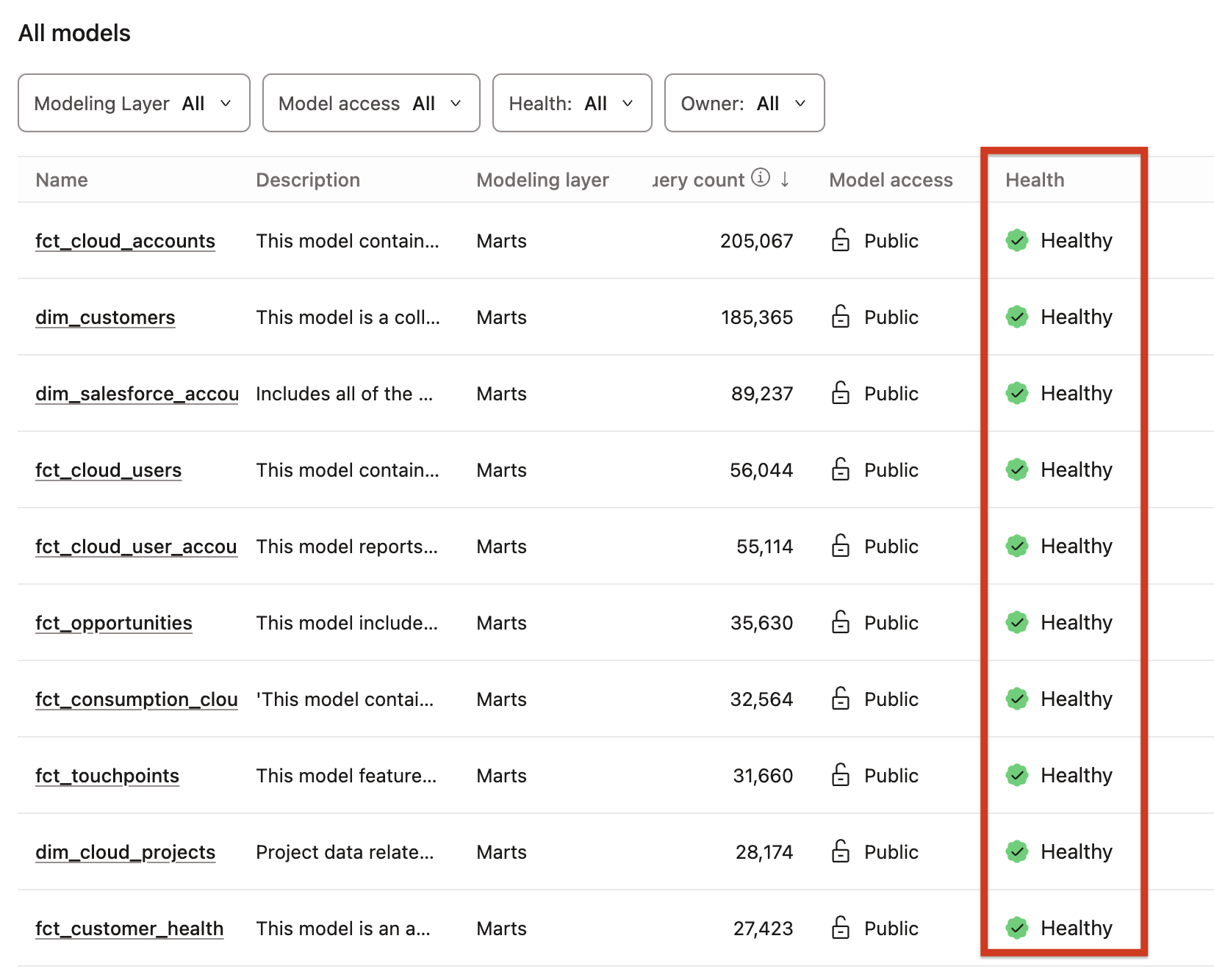 View data health signals for your models.
Access data health signals
Access data health signals in the following places:
- In the search function or under Models, Sources, or Exposures in the Resource tab.
- For sources, the data health signal also indicates the source freshness status.
- In the Health column on each resource's details page. Hover over or click the signal to view detailed information.
- In the Health column of public models tables.
- In the DAG lineage graph. Click any node to open the node details panel where you can view it and its details.
- In Data health tiles through an embeddable iFrame and visible in your BI dashboard.
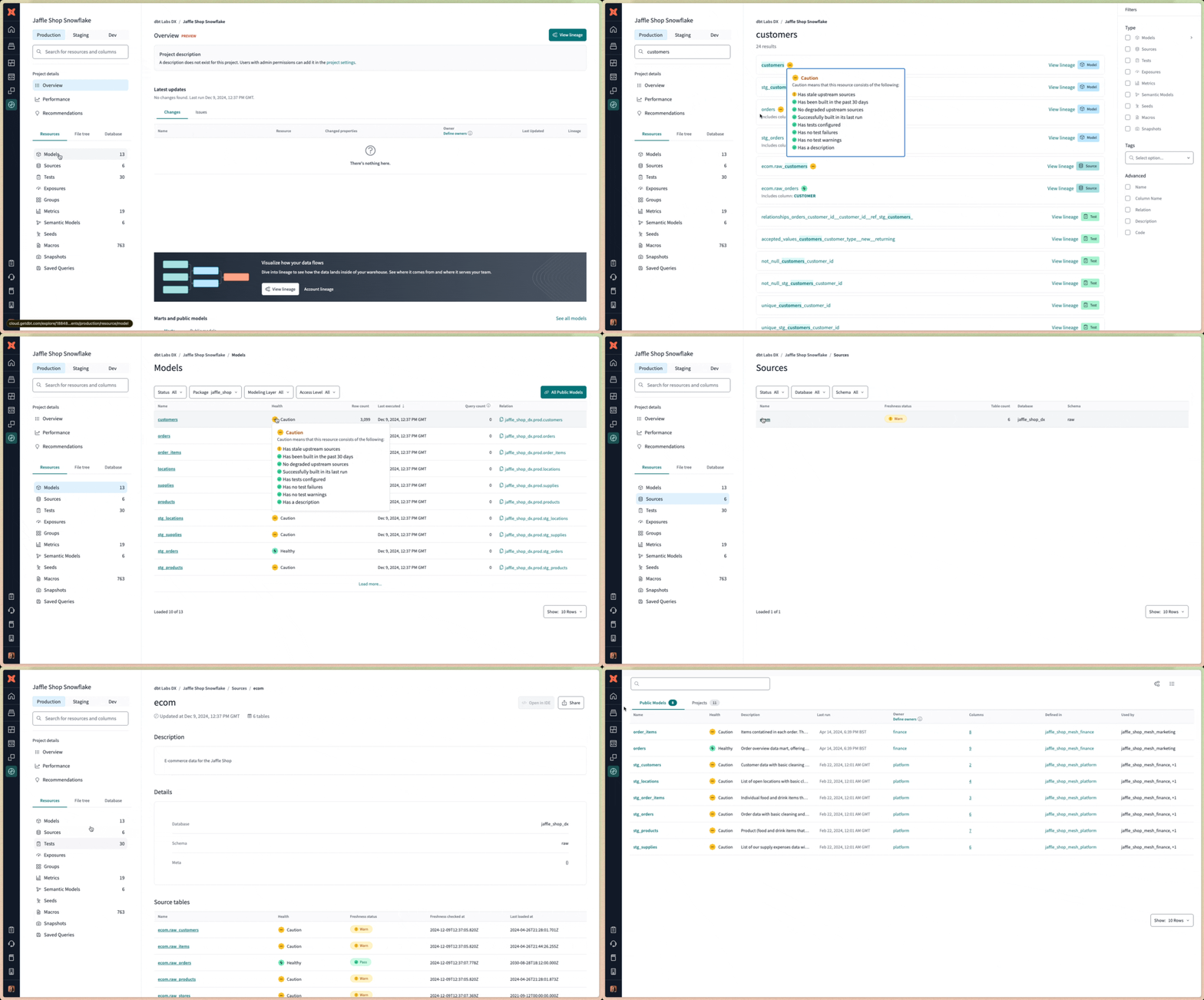 Access data health signals in multiple places in dbt Catalog.
Data health signal criteria
Each resource has a health state that is determined by specific set of criteria. Select the following tabs to view the criteria for that resource type.
- Models
- Sources
- Exposures
The health state of a model is determined by the following criteria:
| Health state | Criteria |
|---|---|
| ✅ Healthy | All of the following must be true: - Built successfully in the last run - Built in the last 30 days - Model has tests configured - All tests passed - All upstream sources are fresh or freshness is not applicable (set to null)- Has a description |
| 🟡 Caution | One of the following must be true: - Not built in the last 30 days - Tests are not configured - Tests return warnings - One or more upstream sources are stale: - Has a freshness check configured - Freshness check ran in the past 30 days - Freshness check returned a warning - Missing a description |
| 🔴 Degraded | One of the following must be true: - Model failed to build - Model has failing tests - One or more upstream sources are stale: - Freshness check hasn’t run in the past 30 days - Freshness check returned an error |
| ⚪ Unknown | - Unable to determine health of resource; no job runs have processed the resource. |
The health state of a source is determined by the following criteria:
| Health state | Criteria |
|---|---|
| ✅ Healthy | All of the following must be true: - Freshness check configured - Freshness check passed - Freshness check ran in the past 30 days - Has a description |
| 🟡 Caution | One of the following must be true: - Freshness check returned a warning - Freshness check not configured - Freshness check not run in the past 30 days - Missing a description |
| 🔴 Degraded | - Freshness check returned an error |
| ⚪ Unknown | Unable to determine health of resource; no job runs have processed the resource. |
The health state of an exposure is determined by the following criteria:
| Health state | Criteria |
|---|---|
| ✅ Healthy | All of the following must be true: - Underlying sources are fresh - Underlying models built successfully - Underlying models’ tests passing |
| 🟡 Caution | One of the following must be true: - At least one underlying source’s freshness checks returned a warning - At least one underlying model was skipped - At least one underlying model’s tests returned a warning |
| 🔴 Degraded | One of the following must be true: - At least one underlying source’s freshness checks returned an error - At least one underlying model did not build successfully - At least one model’s tests returned an error |
Was this page helpful?
This site is protected by reCAPTCHA and the Google Privacy Policy and Terms of Service apply.
