About Studio IDE
The dbt integrated development environment (Studio IDE) is a single interface for building, testing, running, and version-controlling dbt projects from your browser. With the Cloud Studio IDE, you can compile dbt code into SQL and run it against your database directly.
With the Cloud Studio IDE, you can:
- Write modular SQL models with select statements and the ref() function,
- Compile dbt code into SQL and execute it against your database directly,
- Test every model before deploying them to production,
- Generate and view documentation of your dbt project,
- Leverage git and version-control your code from your browser with a couple of clicks,
- Create and test Python models:
- Compile Python models to see the full function that gets executed in your data platform
- See Python models in DAG in dbt version 1.3 and higher
- Currently, you can't preview python models
- Visualize a directed acyclic graph (DAG), and more.
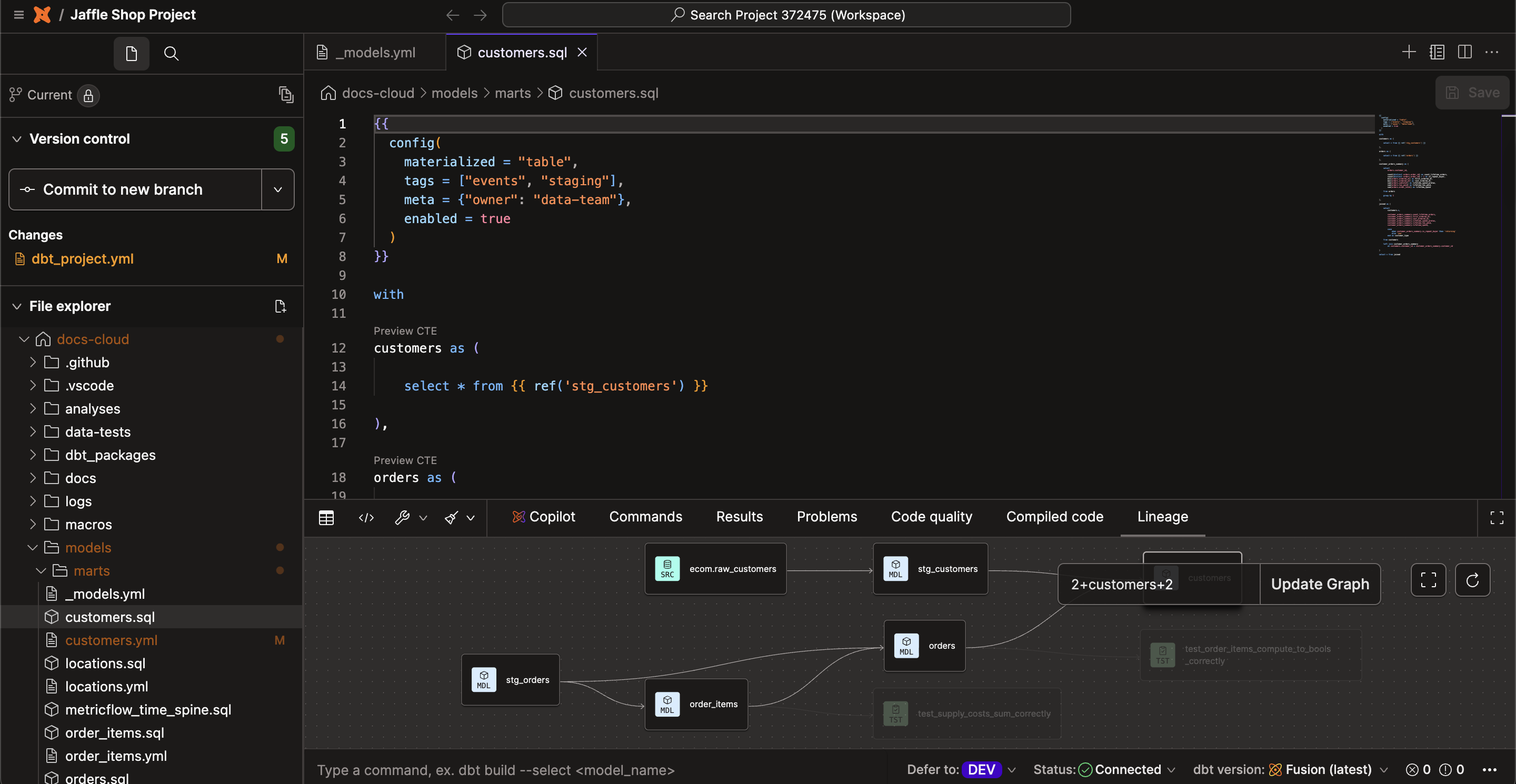 The Studio IDE in dark mode
For more information, read the complete Cloud Studio IDE guide.
Related docs
Was this page helpful?
This site is protected by reCAPTCHA and the Google Privacy Policy and Terms of Service apply.
0
