# Source freshness
dbt platform
dbt provides a helpful interface around dbt's [source data freshness](../build/sources.md#source-data-freshness) calculations. When a dbt job is configured to run source freshness checks, dbt will render a user interface showing you the state of the most recent check. This interface is intended to help you determine if your source data freshness is meeting the service level agreement (SLA) that you've defined for your organization.
[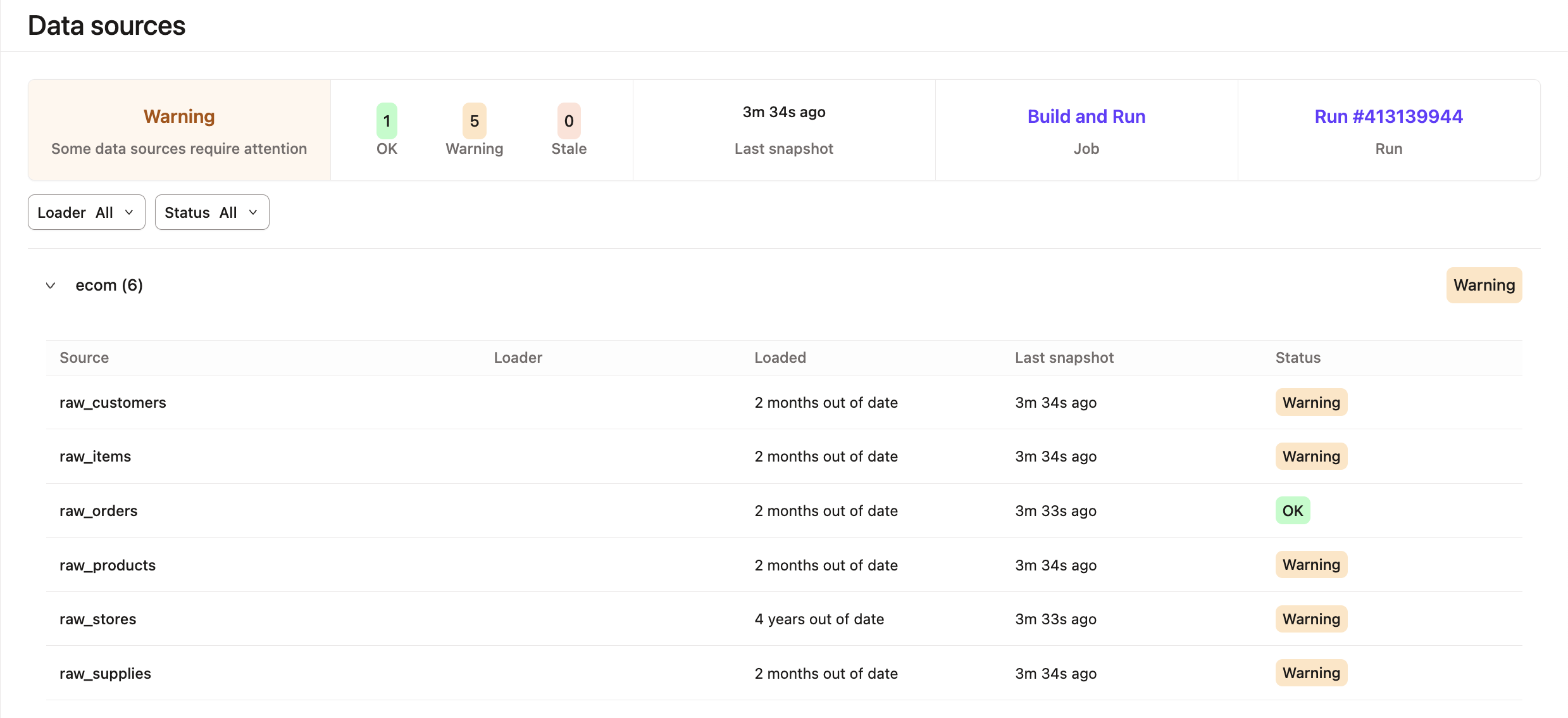](#)Data Sources in dbt
### Enabling source freshness checks
[`dbt build`](../../reference/commands/build.md) does *not* include source freshness checks when building and testing resources in your DAG. Instead, you can use one of these common patterns for defining jobs:
* Add `dbt build` to the run step to run models, tests, and so on.
* Select the **Generate docs on run** checkbox to automatically [generate project docs](../explore/build-and-view-your-docs.md).
* Select the **Run source freshness** checkbox to enable [source freshness](#checkbox) as the first step of the job.
[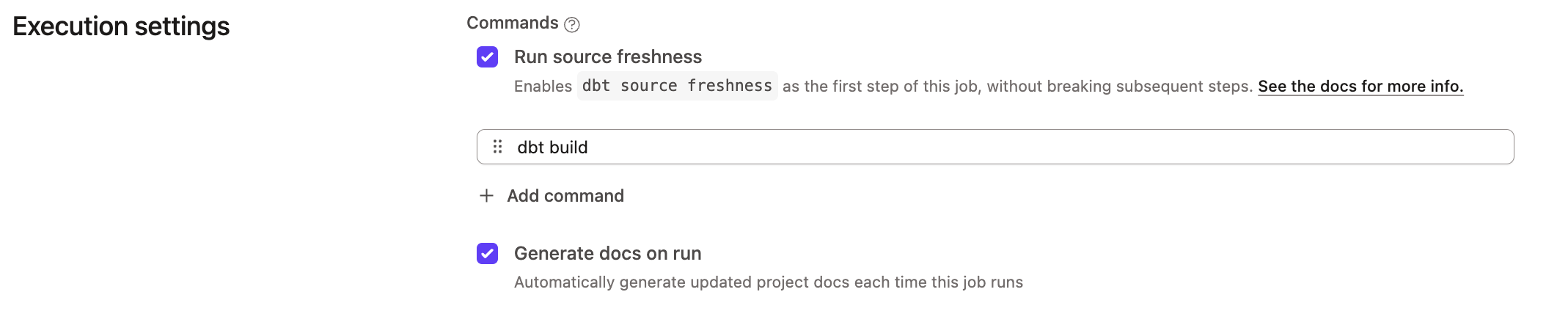](#)Selecting source freshness
To enable source freshness checks, first make sure to configure your sources with [source freshness information](../build/sources.md#source-data-freshness). You can add source freshness to the list of commands in the job run steps or enable the checkbox. However, you can expect different outcomes when you configure a job by selecting the **Run source freshness** checkbox compared to adding the command to the run steps.
Review the following options and outcomes:
| Options | Outcomes |
| ----------------------- | ----------------------------------------------------------------------------------------------------------------------------------------------------------------------------------------------------------------------------------------------------------------------------------------------------------------------------------------------------------------------------------------------------------------------------------------------------------------------------------------------------------------------------------------------------------------------------------------------------------------------------------------------------------------------- |
| **Select checkbox[]()** | The **Run source freshness** checkbox in your **Execution Settings** will run `dbt source freshness` as the first step in your job and won't break subsequent steps if it fails. If you wanted your job dedicated *exclusively* to running freshness checks, you still need to include at least one placeholder step, such as `dbt compile`. |
| **Add as a run step** | Add the `dbt source freshness` command to a job anywhere in your list of run steps. However, if your source data is out of date — this step will "fail", and subsequent steps will not run. dbt will trigger email notifications (if configured) based on the end state of this step.
You can create a new job to check source freshness.
If you *do not* want your models to run if your source data is out of date, then it could be a good idea to run `dbt source freshness` as the first step in your job. Otherwise, we recommend adding `dbt source freshness` as the last step in the job, or creating a separate job just for this task. |
[](#)Adding a step to check source freshness
### Source freshness check frequency
It's important that your freshness jobs run frequently enough to measure data latency in accordance with your SLAs. You can imagine that if you have a 1 hour SLA on a particular dataset, checking the freshness of that table once daily would not be appropriate. As a good rule of thumb, you should run your source freshness jobs with at least double the frequency of your lowest SLA. Here's an example table of some reasonable check frequencies given typical SLAs:
| SLA | Check frequency |
| ------ | --------------- |
| 1 hour | 30 mins |
| 1 day | 12 hours |
| 1 week | About daily |
## Further reading
* Refer to [Artifacts](./artifacts.md) for more info on how to create dbt artifacts, share links to the latest documentation, and share source freshness reports with your team.
* Source freshness for Snowflake is calculated using the `LAST_ALTERED` column. Read about the limitations in [Snowflake configs](../../reference/resource-configs/snowflake-configs.md#source-freshness-known-limitation).
## Was this page helpful?
YesNo
[Privacy policy](https://www.getdbt.com/cloud/privacy-policy)[Create a GitHub issue](https://github.com/dbt-labs/docs.getdbt.com/issues)
This site is protected by reCAPTCHA and the Google [Privacy Policy](https://policies.google.com/privacy) and [Terms of Service](https://policies.google.com/terms) apply.