Connect Onehouse
dbt supports connecting to Onehouse SQL using the Apache Spark Connector with the Thrift method.
note
Connect to a Onehouse SQL Cluster with the dbt-spark adapter.**
Requirements
- For dbt, ensure your Onehouse SQL endpoint is accessible via external DNS/IP, whitelisting dbt IPs.
What works
- All dbt Commands, including:
dbt clean,dbt compile,dbt debug,dbt seed, anddbt run. - dbt materializations:
tableandincremental - Apache Hudi table types of Merge on Read (MoR) and Copy on Write (CoW). It is recommended to use MoR for mutable workloads.
Limitations
- Views are not supported
dbt seedhas row / record limits.dbt seedonly supports Copy on Write tables.
dbt connection
Fill in the following fields when creating an Apache Spark warehouse connection using the Thrift connection method:
| Field | Description | Examples |
|---|---|---|
| Method | The method for connecting to Spark | Thrift |
| Hostname | The hostname of your Onehouse SQL Cluster endpoint | yourProject.sparkHost.com |
| Port | The port to connect to Spark on | 10000 |
| Cluster | Onehouse does not use this field | |
| Connection Timeout | Number of seconds after which to timeout a connection | 10 |
| Connection Retries | Number of times to attempt connecting to cluster before failing | 0 |
| Organization | Onehouse does not use this field | |
| User | Optional. Not enabled by default. | dbt_cloud_user |
| Auth | Optional, supply if using Kerberos. Not enabled by default. | KERBEROS |
| Kerberos Service Name | Optional, supply if using Kerberos. Not enabled by default. | hive |
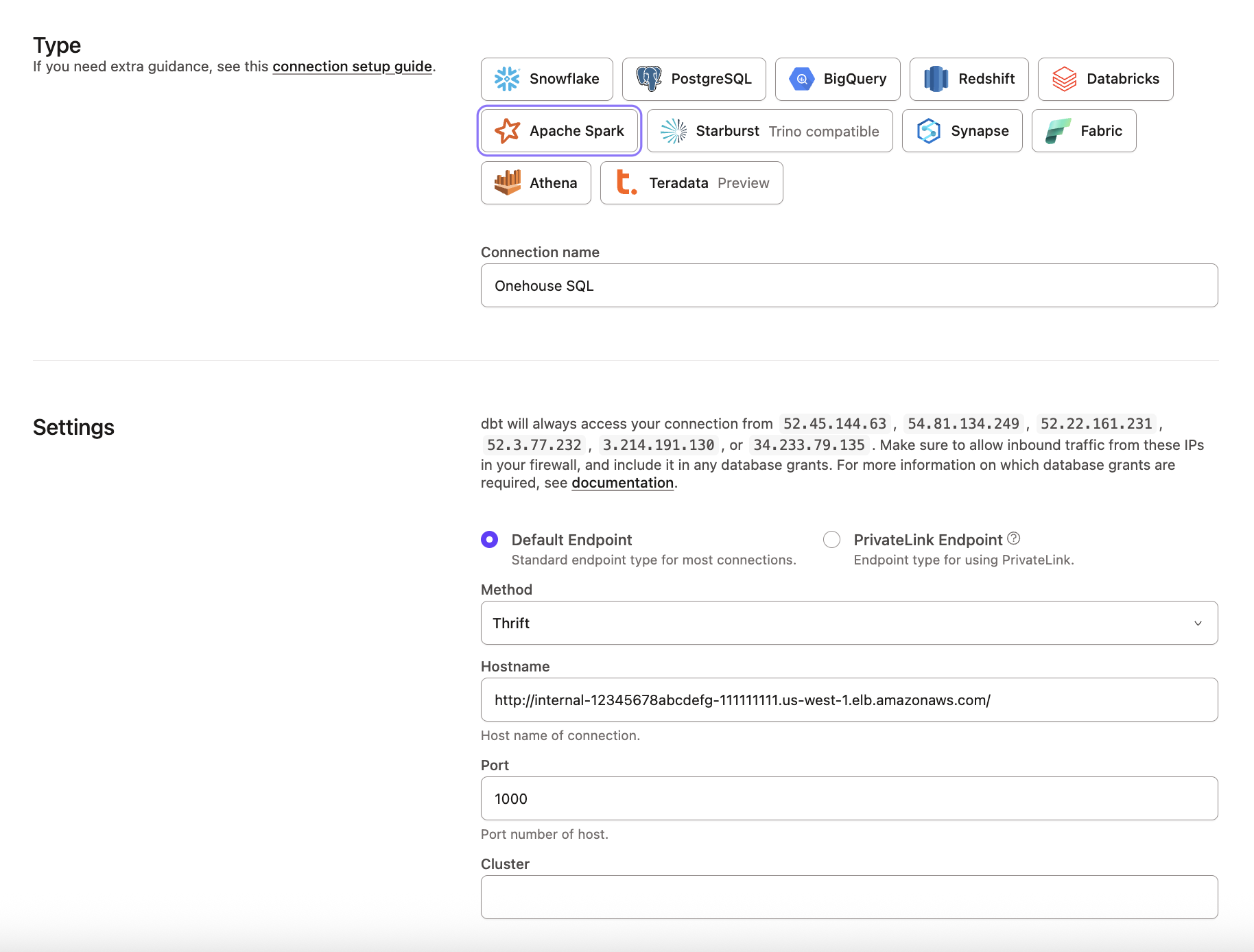 Onehouse configuration
dbt project
We recommend that you set default configurations on the dbt_project.yml to ensure that the adapter executes with Onehouse compatible sql
| Field | Description | Required | Default | Recommended |
|---|---|---|---|---|
| materialized | materialization the project/directory will default to | Yes | without input, view | table |
| file_format | table format the project will default to | Yes | N/A | hudi |
| location_root | Location of the database in DFS | Yes | N/A | <your_database_location_dfs> |
| hoodie.table.type | Merge on Read or Copy on Write | No | cow | mor |
dbt_project.yml template
      +materialized: table | incremental
      +file_format: hudi
      +location_root: <storage_uri>
      +tblproperties:
         hoodie.table.type: mor | cow
A dbt_project.yml example if using jaffle shop would be
models:
  jaffle_shop:
    +file_format: hudi
    +location_root: s3://lakehouse/demolake/dbt_ecomm/
    +tblproperties:
      hoodie.table.type: mor
    staging:
      +materialized: incremental
    marts:
      +materialized: table
Was this page helpful?
This site is protected by reCAPTCHA and the Google Privacy Policy and Terms of Service apply.
0
